Picture this: your LinkedIn account—essential for networking and growing your professional presence—gets restricted or even hacked. It’s frustrating, especially when you rely on it for social selling or managing your company’s LinkedIn page.
Quick action is vital, especially when sensitive data—like your company’s or client’s LinkedIn pages—is involved.
A restricted LinkedIn account can halt your social selling efforts, disrupt communication with potential clients, and even impact your reputation. Knowing when and how to contact LinkedIn support and recover your account is essential.
Let’s explore key scenarios where contacting LinkedIn support is crucial and how you can recover quickly, minimizing disruption.
LinkedIn Restriction Types
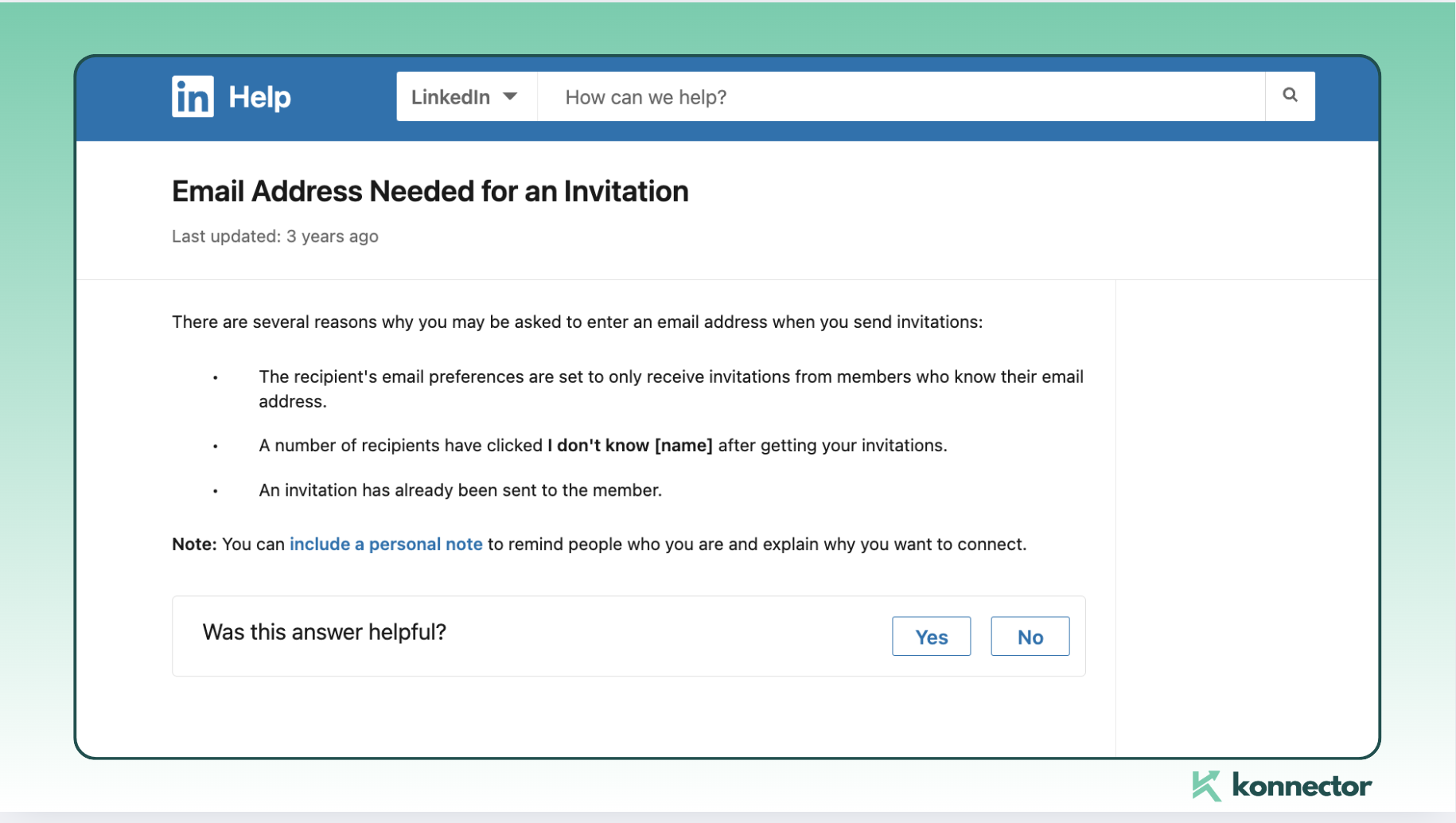
Request for Email IDs When Sending Invites
If you send too many unsolicited invites or get flagged by recipients, LinkedIn may ask you to enter the email address of the person you’re trying to connect with. This is a check to confirm that you know the people you’re reaching out to.
What to Do:
- Stop sending connection requests for a while.
- Withdraw pending requests until you’re under 500.
- Give it about a week before trying again.
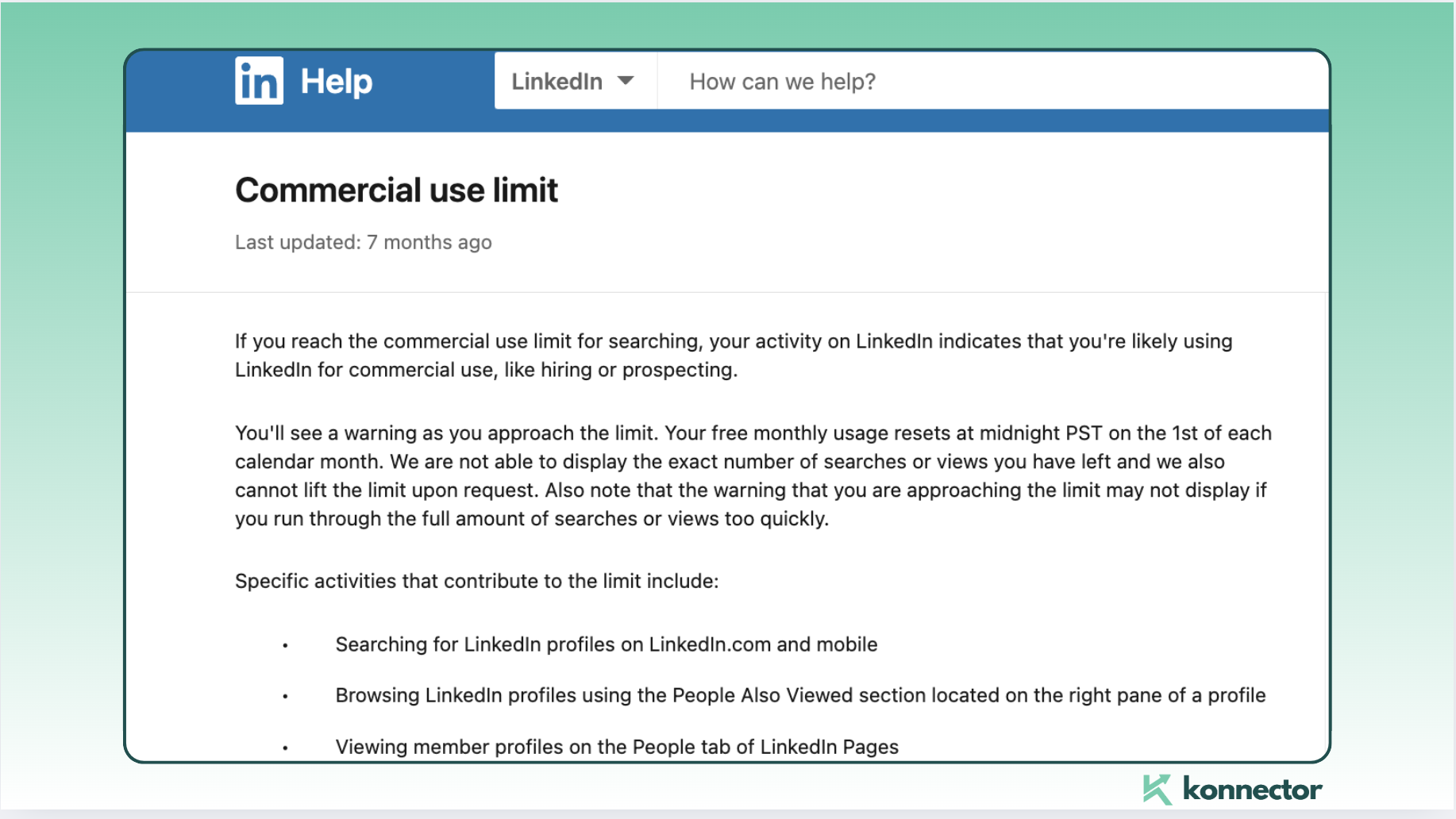
Weekly Invitation Quotas
LinkedIn limits users to around 100–200 connection requests per week, even for premium accounts. Exceeding this can lead to temporary restrictions.
Solution: Stick to the limit. Tools like Konnector can help you manage outreach effectively, ensuring you stay within LinkedIn’s rules without exceeding the quotas.
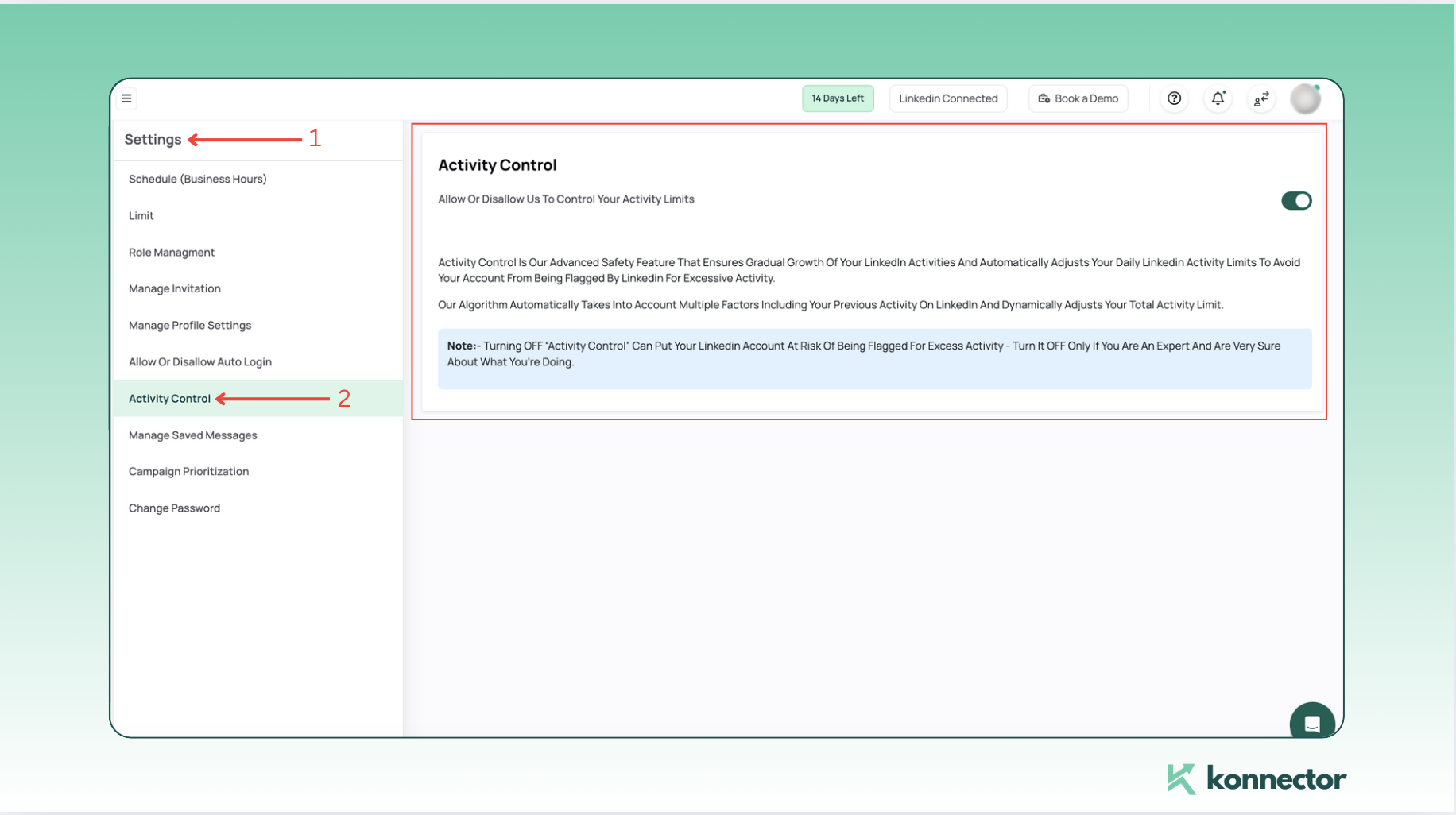
Did you know?
Konnector’s built-in Activity Control feature keeps you in check by automating and pacing your outreach to stay within LinkedIn’s safety limits. This ensures smooth lead generation without risking account penalties.
Temporarily Restricted With ID Request
This happens when LinkedIn suspects that you’ve violated its Terms of Service. Even users who aren’t using automation tools can experience this, especially during algorithm updates. You will receive something like this:
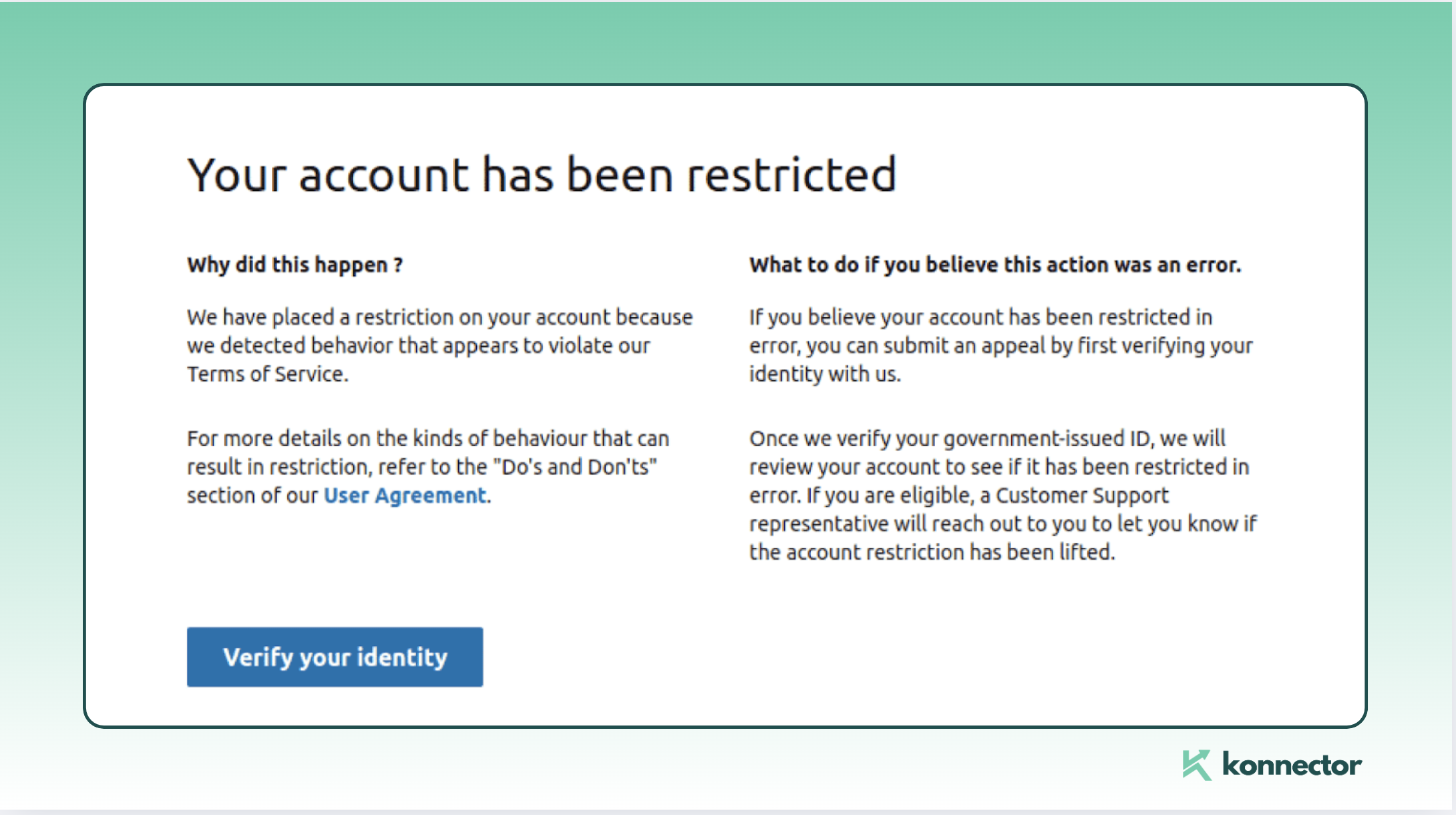
Fix: Provide proof of identity (ID or driver’s license) to regain access.
Permanent Ban
This is the most serious consequence, typically following multiple warnings. Avoid this by maintaining a clean LinkedIn record.
Clarifying LinkedIn’s Security Triggers
LinkedIn’s algorithms closely monitor certain activities that could signal inappropriate behavior. These backend triggers may include:
- Frequent connection requests: Sending out too many connection requests in a short period may be flagged as aggressive or spammy.
- Third-party automation tools: LinkedIn restricts or bans accounts that use unsafe tools to send automated messages or connection requests.
- VPN or unusual device access: Logging in from multiple or unfamiliar devices or locations may prompt LinkedIn to review your account, thinking it’s been compromised.
Step-by-Step Guide: Recovering Your Banned LinkedIn Account
- Step 1: Identify the Type of Restriction
LinkedIn imposes two types of restrictions:- Temporary Restriction: Your account is locked for a few days or weeks, often due to high activity, profile views, or the use of automation tools.
- Permanent Restriction: Your account is fully restricted, and the recovery process is more involved.
- Step 2: Immediate Steps for a Temporary Restriction
- Stop Using Unsafe Automation Tools: If using third-party automation, pause them immediately. If you’re using Konnector, slow down activity for 3–5 days and enable Activity Control through the settings menu to pace your outreach.
- Warm-Up Your Account: Send 5–10 manual connection requests daily to relevant people in your network to ease back into normal activity.
- Step 3: Avoid Critical Mistakes
- Do Not Create a Second LinkedIn Account: If LinkedIn detects this, you risk getting both accounts permanently banned.
Once your account is restored, limit your activity:
- Limit your activity to 100 connection requests weekly.
- For the first two weeks after recovery, send about 15 requests per day (up to 80 weekly).
- Restrict new direct messages to 40–50 per week to avoid flagging.
- Step 4: Steps for Recovering a Permanently Restricted Account
For a more serious, permanent restriction:- Submit an Appeal through LinkedIn’s Help Center:
- Visit the dedicated LinkedIn Account Restriction Appeal page: linkedin.com/help/linkedin/ask/ppq.
Fill out the form provided with your account details and explain why the restriction may have been a mistake. Include supporting documents, such as proof of identity, to verify your account.
- Submit an Appeal through LinkedIn’s Help Center:
- Step 5: Use Twitter(X) for Faster Response
While waiting for LinkedIn’s direct response, try reaching out via Twitter for faster assistance:- Tweet @LinkedInHelp: Include a brief description of your issue and tag them directly.
Example: “Hey @LinkedInHelp, my account was restricted in error, and I’ve submitted an appeal. Can you please help?”
- Tweet @LinkedInHelp: Include a brief description of your issue and tag them directly.
Common Reasons for LinkedIn Account Restrictions
Excessive Connection Requests
Sending too many connection requests quickly can appear spammy.
Tip: Keep connection requests paced and targeted.
Using Unsafe Automation Tools
Many third-party tools violate LinkedIn policies.
Note: Konnector is safe and compliant.
Violation of LinkedIn Terms of Service
Posting inappropriate content or engaging in misleading tactics can result in restrictions.
Solution: Adhere to LinkedIn’s professional standards.
Suspicious Login Activity
Logging in from multiple, unusual locations might flag your account.
Advice: Stick to one device and consistent locations.
How to Avoid LinkedIn Restrictions
Pace Your Activity
Avoid bulk actions by spreading out connection requests and messages to appear natural.
Retract Pending Invites
Keep pending invitations below 300 to reduce the risk of account flags.
Focus on Acceptance Rates
Target relevant prospects and personalize requests to maintain an acceptance rate of at least 40%.
Maintain Consistent Login Behavior
Log in from one device and avoid using multiple or unusual locations.
Conclusion
LinkedIn restrictions can disrupt outreach efforts, but they’re manageable.
By following these steps, you can maintain a healthy LinkedIn presence:
- Understand triggers for restrictions.
- Take proactive measures to prevent them.
- Use tools like Konnector to automate safely and effectively.
Why Konnector?
- Compliance-focused automation.
- Enhanced lead generation without risks.
- Efficient, personalized campaigns.
Start your journey with Konnector today!

11x Your LinkedIn Outreach With
Automation and Gen AI
Harness the power of LinkedIn Automation and Gen AI to amplify your reach like never before. Engage thousands of leads weekly with AI-driven comments and targeted campaigns—all from one lead-gen powerhouse platform.
Frequently Asked Questions
LinkedIn restricts accounts when it detects unusual or spam-like activity such as excessive connection requests, low acceptance rates, use of unsafe automation tools, or suspicious login behavior.
To recover a restricted account, identify the type of restriction, follow LinkedIn’s instructions, submit identity verification if required, and appeal through the LinkedIn Help Center if necessary.
Temporary restrictions can last from a few days to a couple of weeks, depending on the severity. Permanent restrictions require an appeal process and may take longer to resolve.
LinkedIn typically allows around 100–200 connection requests per week. Exceeding this limit or sending irrelevant requests can lead to restrictions.
Yes, unsafe or non-compliant automation tools can trigger restrictions. Using compliant tools like Konnector with proper pacing and personalization reduces this risk.
Avoid sending too many connection requests, mass messaging, using multiple accounts, or logging in from different locations. Gradually increase activity to rebuild trust.
You can prevent restrictions by pacing your activity, maintaining high acceptance rates, personalizing outreach, limiting pending invites, and using safe, compliant automation practices.