The 2025 compliance playbook is outdated. Not because LinkedIn raised its limits — it lowered them for most users. Not because the detection systems got a minor upgrade — they were rebuilt from scratch. And not because outreach best practices shifted slightly — the entire frame of what “compliant” means changed.
In 2026, safe LinkedIn automation is not about staying under a published number. There is no published number. LinkedIn’s 2026 compliance system runs on dynamic Trust Scores, behavioural AI that analyses millisecond-level activity patterns, and an algorithmic penalty called the Volume Tax that can silently destroy your account’s visibility without ever restricting your login.
This guide updates everything for 2026 standards: the new limits, the new detection layers, the account warm-up protocol, and the compliance-first approach Konnector.ai uses to keep your outreach scaling without putting your account at risk.
Why 2026 Compliance Is Fundamentally Different
In 2025, LinkedIn compliance was primarily a volume question: stay under the limit, add randomised delays, and you were broadly safe. In 2026, the platform introduced three structural changes that make that approach insufficient.
The Dynamic Trust Score
LinkedIn replaced static daily limits with a dynamic Account Trust Score (also called Account Health Score) assigned to every profile. Your Trust Score — not a fixed platform-wide number — determines how many actions your account can safely perform each day.
The Trust Score is calculated from five inputs:
- Account age: Profiles older than two years receive higher leniency by default
- Connection acceptance rate: Below 20% consistently signals spam and reduces your capacity; above 40% expands it
- Message reply rate: Low reply rates on outreach messages reduce your Trust Score faster than high volume alone
- Activity consistency: Sudden spikes from zero to fifty actions per hour trigger immediate flags
- Engagement ratio: Sending 100 connection requests with zero organic engagement (posts, likes, comments) identifies your account as mechanical
The practical implication: two accounts on the same tool, same settings, same daily volume can have completely different risk profiles — because their Trust Scores are different. This is why copying a compliance strategy from someone else’s account without considering your own account’s health is now a meaningful risk.
The Volume Tax
The Volume Tax is an algorithmic penalty — not a restriction — applied to accounts that send high-volume outreach with low engagement returns. It does not lock you out. It silently routes your messages to the “Other” inbox, suppresses your profile in search, and reduces your organic content reach. Many accounts operating under the Volume Tax have no idea it is applied.
The trigger: sending outreach at scale with a reply rate below 10–15%. If you send 500 messages per week and receive 8 replies, LinkedIn’s algorithm treats your account as a spam risk and begins suppressing everything — not just your DMs. Read our full breakdown of why LinkedIn outreach fails for the complete Volume Tax diagnosis and fixes.
Behavioural AI Detection
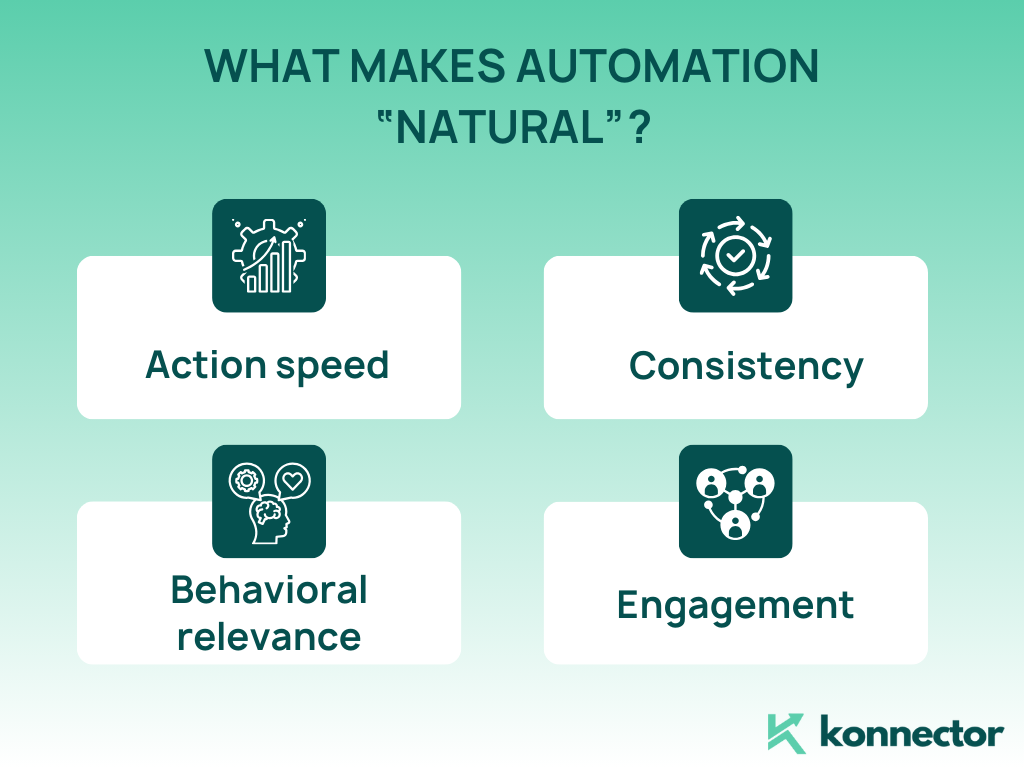
LinkedIn’s 2026 detection layer does not just count actions. It analyses the pattern of actions — timing precision, dwell time before clicking, scroll behaviour, session duration, and geographic consistency. Accounts sending exactly 30 connection requests per day at precisely 9:00 AM are more likely to be flagged than accounts sending 45 requests with natural variation throughout the day.
A study analysing 12,000 automation users across 47 tools found that timing mattered more than volume. Users sending 200 requests daily with natural timing patterns had lower restriction rates than users sending 50 requests with robotic 30-second intervals between each action.
This is why the 2026 compliance conversation is not about “what number is safe” — it is about whether your account’s activity signature looks like a focused professional doing intentional work.
The 2026 Safe Automation Limits: By Action Type and Account Type
LinkedIn does not publish official limits. The following table reflects 2026 safe operational ranges based on aggregate data from practitioner testing, tool provider guidelines, and community reporting across thousands of active accounts.
| Action Type | New / Inactive Account | Established Free Account | Premium / Sales Navigator | LinkedIn Recruiter |
|---|---|---|---|---|
| Connection requests (daily) | 5–15 | 20–30 | 30–40 | 40–50 |
| Connection requests (weekly) | 30–60 | 80–100 | 100–200 | 200–300 |
| Messages to 1st-degree connections | 10–20/day | 30–60/day | 50–75/day | Up to 250/day |
| Profile views | 20–40/day | 80–100/day | 100–250/day | 500–600/day |
| Content likes / reactions | 10–20/day | 20–40/day | 40–60/day | 60–80/day |
| Total daily automated actions | 30–60 | 80–150 | 120–200 | 200–300 |
| InMail credits (monthly) | N/A | N/A | 50 | 150+ |
Critical caveat: These are starting points, not guarantees. Your Trust Score adjusts these thresholds up or down based on your acceptance rate, reply rate, and account history.
An established account with a 45% acceptance rate can operate at the upper end. A new account with a 15% acceptance rate should operate significantly below the lower bound.
What LinkedIn Detects: The Four-Layer System
| Detection Layer | What LinkedIn Monitors | What Triggers a Flag | Safe Practice |
|---|---|---|---|
| Volume | Total daily / weekly actions per account | Actions exceeding Trust Score capacity; sudden spikes from baseline | Stay within account-appropriate limits; ramp gradually |
| Behavioural timing | Interval between actions, dwell time on profiles, session pattern | Fixed intervals (exactly 30s between every action); actions outside working hours | Non-linear, varied delays; activity only during 8 AM–7 PM local time |
| Device and IP | Browser fingerprint, IP geolocation, session geography | Cloud tools using data-centre IPs; “Impossible Travel” (home at 9 AM, Frankfurt server at 9:01 AM) | Dedicated residential IPs matched to account’s normal location |
| Engagement quality | Acceptance rate, reply rate, spam reports, pending invite backlog | Acceptance rate below 20%; reply rate below 10%; pending invites exceeding 500 | Target 30–45% acceptance; personalise messaging; withdraw stale pending requests after 14 days |
The counterintuitive 2026 insight: manually managed executive profiles are now facing restrictions at a higher rate than well-configured automated accounts. Why? Because humans are inconsistent — they switch IPs when travelling, use multiple devices, and create the same “suspicious” patterns that automation produces. A properly configured automation tool with consistent infrastructure and human-like timing is, paradoxically, more compliant than a disorganised manual approach.
The 2026 Account Warm-Up Protocol
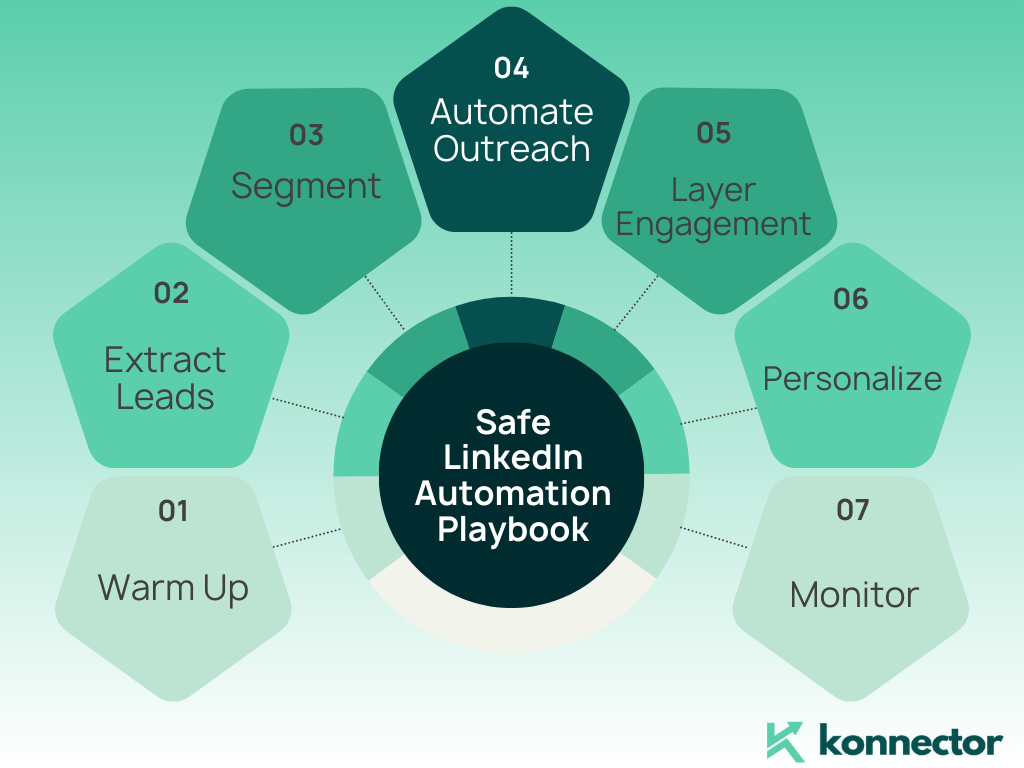
Starting automation on a new or recently inactive account at full volume is the fastest path to a restriction. The 2026 warm-up protocol is more structured than its 2025 predecessor because the Trust Score accumulates incrementally — you cannot rush it.
| Phase | Duration | Connection Requests | Messages | Profile Views | Automation Level |
|---|---|---|---|---|---|
| Phase 1 — Foundation | Days 1–7 | 5–8/day (manual) | 10–15/day (manual) | 20–30/day (manual) | 0% — manual only |
| Phase 2 — Introduction | Days 8–14 | 10–12/day | 15–25/day | 30–50/day | 25% automated |
| Phase 3 — Ramp | Days 15–21 | 15–20/day | 25–40/day | 50–70/day | 50% automated |
| Phase 4 — Operational | Day 22+ | 20–30/day | 40–60/day | 70–100/day | 75–100% automated |
The metric that gates your progression through each phase: connection acceptance rate. If your acceptance rate drops below 20% at any phase, pause and do not advance. Fix your targeting and messaging before increasing volume. Advancing on a low acceptance rate compounds the Trust Score damage — each ignored request further reduces your capacity for the next one.
The Compliance-First Automation Playbook
Beyond the numbers, compliance in 2026 requires a set of non-negotiable operational principles. These are the practices that separate accounts that scale safely from accounts that get quietly restricted.
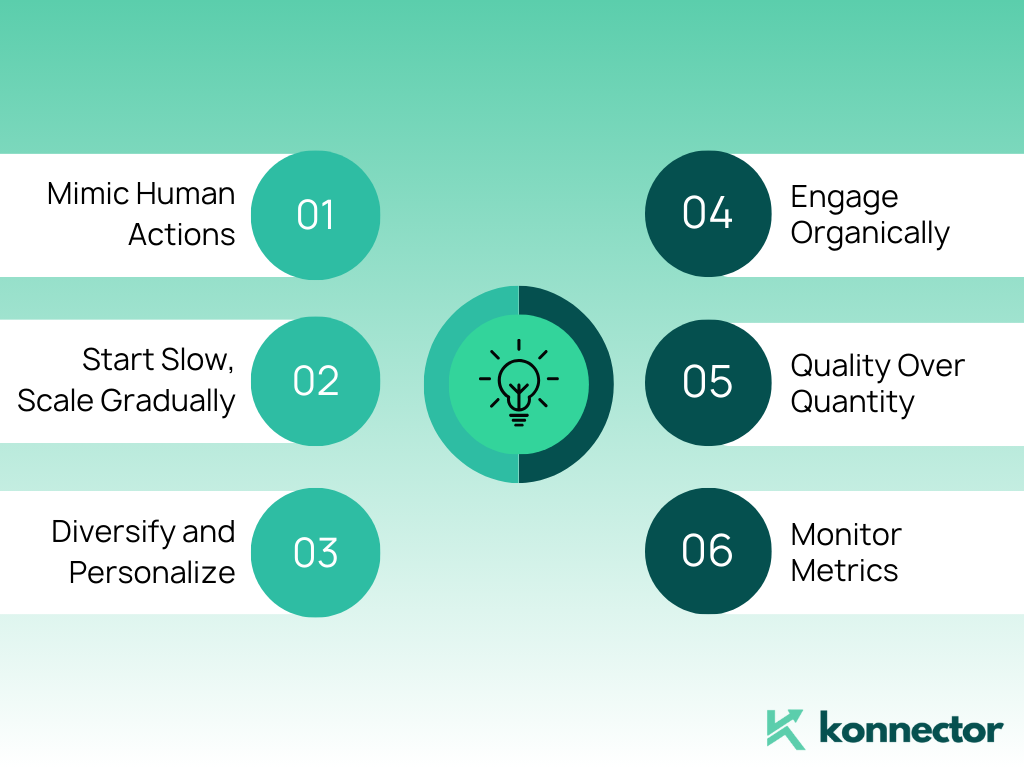
Mimic Intentional Human Work — Not Just Random Delays
The 2025 advice was to add random delays. The 2026 reality is more specific: random is not enough — the pattern has to be purposeful. Delays of exactly 42 seconds, then 118 seconds, then 67 seconds may be random by a mathematical definition, but if the same distribution repeats across 1,000 accounts using the same tool, LinkedIn’s detection AI sees the pattern at scale. Purpose-driven variation — delays that mimic how a person actually reads a profile, gets distracted, and refocuses — is what passes detection.
Maintain an Active Organic Presence
Automation alone creates a suspicious signal: an account that sends 40 connection requests per day but never posts, likes, or comments looks mechanical. LinkedIn’s engagement ratio metric specifically checks whether your outreach activity is balanced by organic platform behaviour. Post 2–5 times per week. Like and comment on relevant posts daily. Your automation’s safety depends partly on the organic activity surrounding it. See our LinkedIn Impressions guide for how to build the organic presence that protects your automation activity.
Personalise Beyond the First Name
LinkedIn’s 2026 algorithm detects message similarity — not just identical text, but structural similarity across sends. Swapping a first name in a template while keeping the rest identical is now algorithmically detectable. Effective personalisation references something specific: a post they published, a company milestone, a role change, a shared group conversation. Read our LinkedIn outreach strategy guide for the messaging structure that keeps reply rates high and compliance risk low.
Manage Your Pending Invite Backlog
A large backlog of unanswered connection requests is one of the most overlooked compliance signals. LinkedIn monitors the ratio of sent-to-accepted invitations. Pending requests sitting unaccepted for more than 14 days signal poor targeting. The 2026 rule: withdraw pending invites after 14 days. You cannot resend to the same person for 30 days — but the damage to your Trust Score from letting the backlog grow is worse than the temporary loss of that target. Keep your pending invite count below 500 at all times.
Safe vs. Unsafe Automation: The 2026 Comparison
| Factor | Unsafe Automation | Safe Automation (Konnector.ai Standard) |
|---|---|---|
| Infrastructure | Shared data-centre IPs; headless browsers | Dedicated residential IPs matched to account location |
| Timing | Fixed intervals; 24/7 operation; weekend sends | Non-linear varied delays; working hours only; weekends off |
| Message variation | Single template with name-swap personalisation | Signal-based personalisation using real prospect activity data |
| Volume approach | Maximise to official limits regardless of response rates | Real-time acceptance rate monitoring; auto-reduce if below 20% |
| Account warm-up | Full volume from day one | 4-phase protocol over 22+ days |
| Organic engagement | Outreach only; no organic activity | Organic posting, likes, and comments alongside outreach |
| Human oversight | Fully automated with no human review | Human approval required for all public-facing actions |
| Restriction rate | 23%–40%+ of accounts | Below 5% with proper configuration |
The restriction rate gap is the most important number in this table. Research analysing 12,000 LinkedIn automation accounts found that users following proper safety protocols experienced restriction rates under 5%. Users ignoring behavioural guidelines hit 40%+. The difference is not the tool — it is the configuration, the infrastructure, and the organic activity surrounding the automation.
Konnector.ai is built around the compliant column of this table by default — not as a setting you have to configure, but as the architecture the platform is built on. Book a free demo to see exactly how the compliance layer works for your account type and outreach volume.
The 2026 Compliance Checklist
| Compliance Area | Check | Status |
|---|---|---|
| Account warm-up | Did you run the 4-phase warm-up before launching full automation? | ☐ Yes / ☐ No |
| Connection limits | Are you staying within the limit appropriate to your account’s Trust Score (not just the maximum)? | ☐ Yes / ☐ No |
| Acceptance rate | Is your connection acceptance rate above 20%? (Pause and fix if not) | ☐ Yes / ☐ No |
| Pending invites | Is your pending invite backlog below 500? Are you withdrawing invites older than 14 days? | ☐ Yes / ☐ No |
| Message variation | Do your messages use signal-based personalisation beyond first name and company? | ☐ Yes / ☐ No |
| Timing | Is all automation activity confined to working hours in your prospect’s timezone? | ☐ Yes / ☐ No |
| Infrastructure | Does your tool use dedicated residential IPs — not shared data-centre servers? | ☐ Yes / ☐ No |
| Organic activity | Are you posting 2–5 times per week and engaging organically alongside automation? | ☐ Yes / ☐ No |
| Reply monitoring | Is automation paused on threads where a prospect has replied? | ☐ Yes / ☐ No |
| SSI score | Is your Social Selling Index above 60? (Check free at linkedin.com/sales/ssi) | ☐ Yes / ☐ No |
If You Get Restricted: The 2026 Recovery Protocol
LinkedIn restrictions in 2026 come in tiers. Understanding which tier you are in determines the correct response:
| Restriction Type | What You See | Duration | Recovery Action |
|---|---|---|---|
| Tier 1 — Warning | “You’ve reached the weekly invitation limit” message | 24–72 hours | Stop all automation. Send 5–10 manual requests after 72 hours. |
| Tier 2 — Feature restriction | Connection requests or messaging temporarily disabled | 3–14 days | Stop all automation. Manual organic activity only. Do not attempt to appeal aggressively. |
| Tier 3 — Identity verification | LinkedIn requests photo ID to restore access | 3–7 days for review | Provide ID immediately. Restart at 25% of previous volume after access is restored. |
| Tier 4 — Permanent ban | Account permanently disabled. ToS violation notice. | Permanent (less than 15% recovery rate) | Appeal through LinkedIn Help Centre. Recovery is rarely successful. Prevention is the only real strategy. |
The most important rule at every tier: do not immediately resume automation after a restriction lifts. Resume manual activity first for 5–10 days. Demonstrate human-like behaviour. Then restart automation at 25% of your previous volume and ramp up over 4 weeks while monitoring acceptance rate closely.
Final Thoughts: Compliance Is Not a Constraint — It Is a Competitive Advantage
The teams treating compliance as a constraint are the ones constantly fighting restrictions, rebuilding burned accounts, and restarting outreach sequences from zero. The teams treating it as a system design principle are the ones building compounding pipelines — month over month, quarter over quarter — because their accounts are trusted, their messages land, and their outreach is genuinely welcomed.
The math is simple. An account that sends 40 compliant, targeted, personalised connection requests per day with a 40% acceptance rate generates 16 new conversations daily. An account that pushes 150 generic requests with a 12% acceptance rate generates 18 — while actively eroding its Trust Score, generating spam reports, and approaching the Volume Tax penalty that will eventually make all future outreach invisible.
Safe LinkedIn automation in 2026 is not about working around the system. It is about working with it — and understanding it well enough to make it work for you.
Konnector.ai is built around this principle. Every feature — the Social Signals Intelligence that finds the right leads, the AI personalisation engine that makes messages feel human, the real-time acceptance rate monitoring that adjusts volume before LinkedIn acts, and the human-approval layer that ensures your brand voice is always yours — is designed to make compliance the default, not the exception.
📅 Book a Free Demo → See how Konnector.ai’s compliance-first architecture works for your team’s account type and outreach goals.
⚡ Sign Up Free → Start running safe, compliant LinkedIn automation today. No account risk. No guesswork.
Related Reading
- LinkedIn Automation Limits 2026: The Complete Breakdown
- Email vs LinkedIn Message [Which Is More Effective for Outreach]?
- Why LinkedIn Outreach Fails — And How to Fix It in 2026
- How Does LinkedIn Outreach Work in 2026? Step-by-Step Strategy Guide

11x Your LinkedIn Outreach With
Automation and Gen AI
Harness the power of LinkedIn Automation and Gen AI to amplify your reach like never before. Engage thousands of leads weekly with AI-driven comments and targeted campaigns—all from one lead-gen powerhouse platform.
Frequently Asked Questions
Safe LinkedIn automation in 2026 means using automation tools that respect LinkedIn’s limits, mimic human behavior, and follow compliance rules to avoid account restrictions or bans.
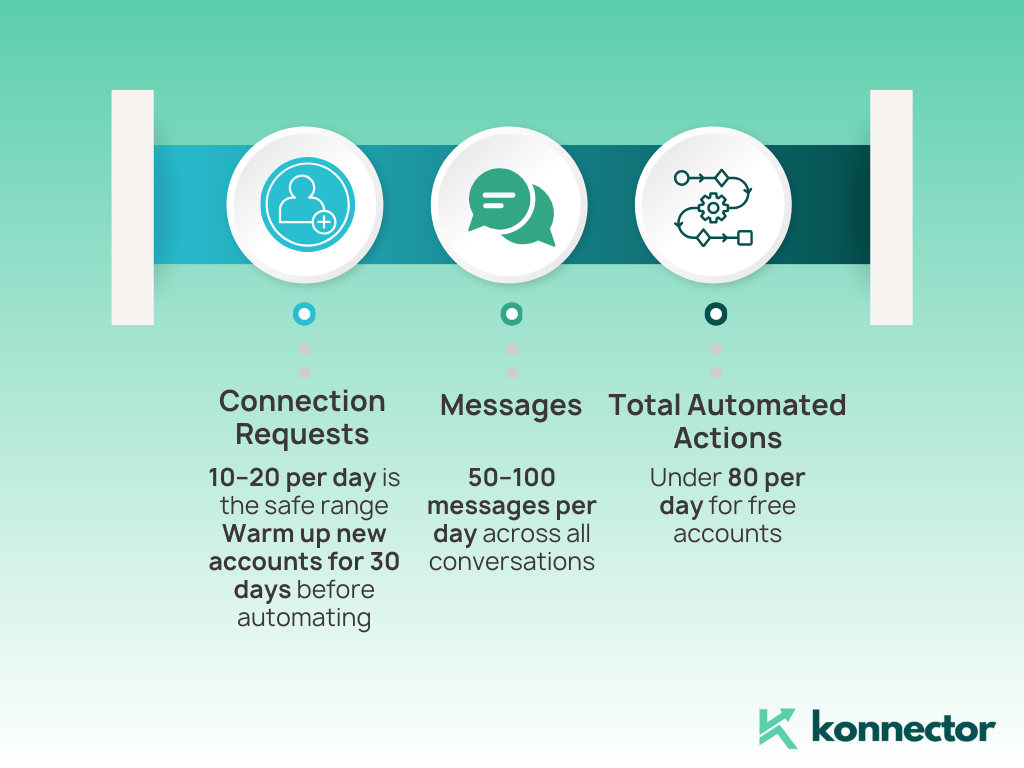
The safe limits in 2026 are about 10–20 connection requests per day, 50–100 messages per day, and fewer than 80 profile views on free accounts. Staying under these limits keeps automation natural.
Yes—unsafe tools that spam messages, scrape data in bulk, or exceed daily limits can trigger restrictions or permanent bans. Safe LinkedIn automation tools like Konnector.AI prevent this by controlling limits and using compliance-first features.
Look for tools with compliance monitoring, randomized delays, drip messaging, and daily limit control. Avoid tools that promise “mass scraping” or unnatural outreach patterns.
LinkedIn has invested heavily in detection systems that monitor timing, device usage, and response rates. Compliance ensures your outreach blends in with natural activity and keeps your account safe long-term.
You should avoid automating immediately on a new account. Spend at least 30 days warming up manually with small daily actions before introducing automation gradually.
Safe tools spread actions throughout the day, add random delays, pause when replies come in, and layer organic actions like likes or comments to look natural.
Examples include sending fewer than 20 connection requests daily, using personalized AI messaging tied to lead magnet ideas, automating social signals like profile visits, and stopping campaigns when prospects reply.
Premium accounts sometimes allow slightly higher activity, but risky patterns can still trigger restrictions. Compliance rules apply regardless of your subscription tier.
Monitor LinkedIn’s updates each quarter, follow trusted automation providers like Konnector.AI, and use tools that adjust automatically to platform changes and compliance rules.