
You are running LinkedIn® automation. You want to stay safe. So you think — why not use a VPN?
It feels logical. A VPN hides your IP. A hidden IP means LinkedIn® cannot track you. Problem solved.
Except that is not how LinkedIn®’s detection works in 2026 — and using a VPN with LinkedIn® automation is one of the fastest ways to trigger a restriction.
Here is the full picture: what LinkedIn® actually detects, why VPNs make things worse rather than better, and what the right infrastructure looks like if you are running outreach at scale.
Can You Use a VPN With LinkedIn® Automation?
Technically, yes. In practice, no — not without significantly raising your restriction risk.
LinkedIn® cross-references your IP address against known VPN and datacenter IP ranges. Services like MaxMind and IPQualityScore maintain constantly updated databases of IPs belonging to VPN providers. The moment your traffic routes through a known VPN server, LinkedIn® flags it before you have even done anything suspicious.
And that is only the first layer.
A VPN might mask your IP — but it does nothing to hide your browser fingerprint, your behavioural patterns, or the automation signals your outreach tool generates. You end up with a false sense of security while the real risk factors remain completely exposed.
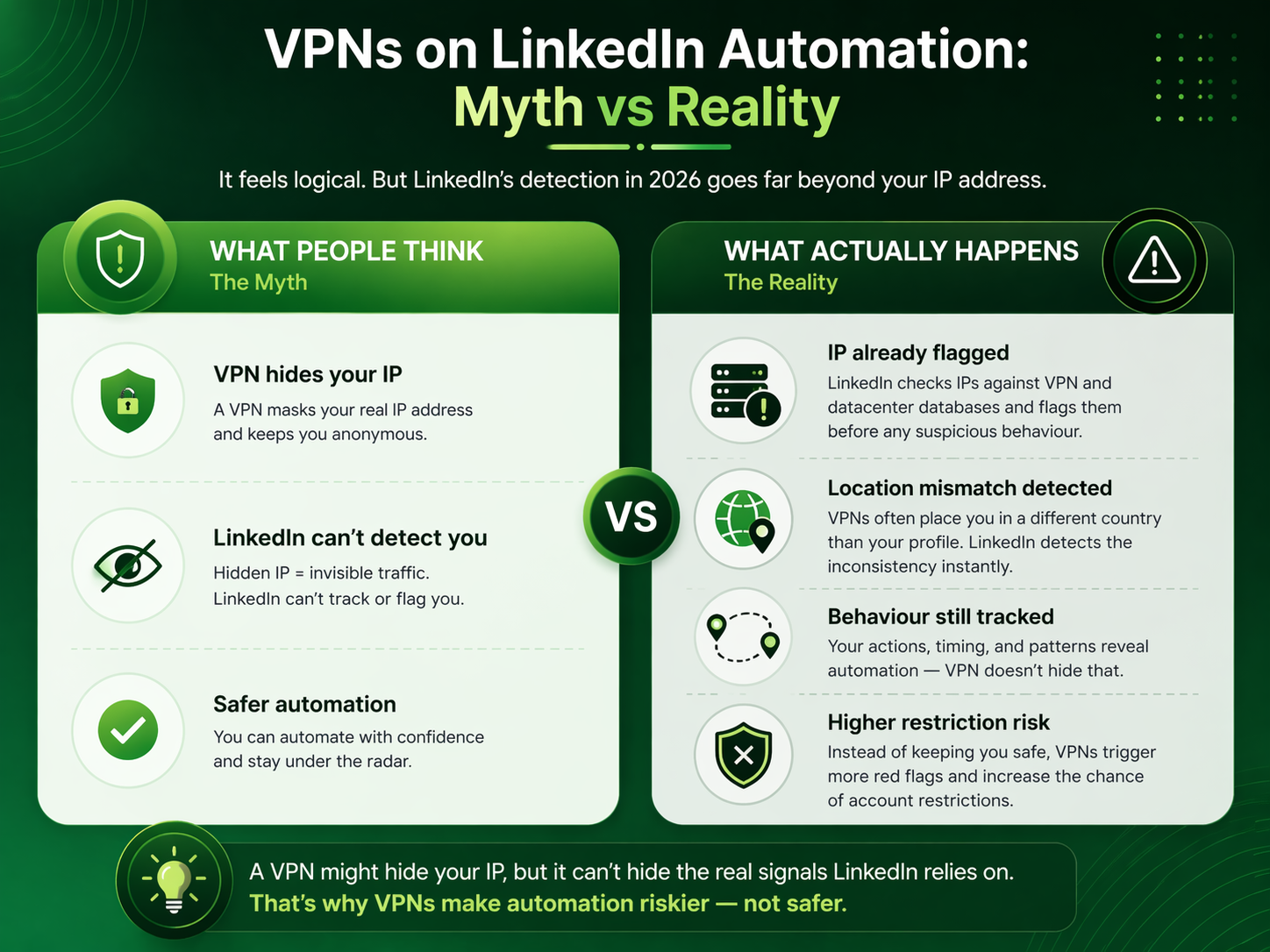
How LinkedIn® Actually Detects Automation — and Why VPNs Do Not Help
LinkedIn®’s detection system in 2026 runs on multiple layers simultaneously. An IP address is just one of them.
| Detection Layer | What LinkedIn® Monitors | Does a VPN Help? |
|---|---|---|
| IP reputation | Cross-references IPs against known VPN, datacenter, and bot databases | No — VPN IPs are already catalogued and flagged |
| Geographic consistency | Checks that your login location matches your account’s established location | No — VPNs often put you in a different country than your profile |
| Session jumping | Detects multiple active sessions from different locations | No — switching between VPN and direct access creates impossible travel flags |
| Behavioural biometrics | Analyses timing precision, action intervals, and activity rhythms | No — VPN does not mask automated action patterns |
| Browser fingerprinting | Identifies device signatures, extension presence, DOM patterns | No — fingerprint is unchanged by a VPN |
The “impossible travel” flag is worth explaining specifically. If LinkedIn® detects two login sessions from geographically distant locations within a timeframe that makes physical travel impossible — for example, a login from London at 9:00 AM and a login from New York at 9:05 AM — it immediately triggers a high-risk security review. This happens whether or not you are running automation. Switching between your regular connection and a VPN causes exactly this pattern.

The Specific Problem With Shared VPN IPs
Most commercial VPNs use shared IP pools — thousands of users routing through the same addresses simultaneously. This creates a contamination problem.
If one user on a shared IP gets flagged by LinkedIn® for spam or automation abuse, the restriction can cascade to every other account using that same address. You inherit the damage of everyone else sharing your VPN server — with no way of knowing who they are or how they are behaving.
You are not just taking on your own automation risk when you use a shared VPN. You are taking on the risk of every other user on that server. That is a bet worth understanding before you place it.
LinkedIn®’s IP reputation database is updated continuously. Known VPN server ranges are catalogued and pre-flagged. VPN IPs almost always fail LinkedIn®’s automated trust checks — even before any suspicious behaviour occurs.
What You Need Instead: Dedicated Residential IPs
The difference between a VPN and a dedicated residential IP is significant — and it is what separates automation that survives from automation that burns accounts.
| Factor | Shared VPN | Dedicated Residential IP |
|---|---|---|
| IP exclusivity | Shared with potentially thousands of users | Assigned to one account only |
| IP reputation | Known VPN ranges, pre-flagged by LinkedIn® | Appears as residential ISP traffic — trusted |
| Geographic consistency | Often mismatches profile location | Geo-matched to the account’s established location |
| Stability | Rotates frequently — triggers session flags | Static per account — consistent session identity |
| Contamination risk | High — inherits other users’ behaviour history | None — exclusively yours |
| LinkedIn® detection risk | Flagged immediately in most cases | Significantly lower — mimics real user traffic |
A dedicated residential IP looks to LinkedIn® like a real person logging in from their home connection. Because it is. It originates from actual ISP allocations rather than a datacenter block. That is the difference that matters.
How Konnector.ai Handles This
This is exactly why Konnector.ai is built as a cloud-based platform with no Chrome extension and no shared IP infrastructure.
Every LinkedIn® account connected to Konnector.ai runs through a dedicated residential IP matched to the account’s established geographic location. There is no VPN involved. There is no shared pool. No other user’s behaviour affects your account’s IP reputation.
Instead of relying on VPNs and proxies, Konnector.ai assigns a dedicated IP per account automatically — with no manual proxy configuration required on your end. The platform handles session consistency, timing variation, and activity pacing within LinkedIn®’s safe limits. Your account’s trust score stays protected. Your connection requests go out looking like the work of a real, active professional — because the infrastructure is designed to be exactly that.
Safe automation is not about hiding what you are doing. It is about doing it the right way — with the right infrastructure, the right limits, and the right signals. A VPN does not solve that problem. The right platform does.
If you are running safe LinkedIn® automation, the question is never “which VPN should I use?” It is “which platform assigns me a dedicated residential IP and handles all of this automatically?”
📅 Book a Free Demo → See exactly how Konnector.ai’s dedicated IP infrastructure keeps your LinkedIn® account safe at scale.
⚡ Sign Up Free → Start running compliant, cloud-based LinkedIn® automation today — no VPN required.

Further Reading
- How to Get Clients With LinkedIn® Automation
- LinkedIn® Automation in 2026: Safe Tools, Limits and Expert Strategies
- Safe LinkedIn® Automation: The Complete Guide

11x Your LinkedIn® Outreach With
Automation and Gen AI
Harness the power of LinkedIn® Automation and Gen AI to amplify your reach like never before. Engage thousands of leads weekly with AI-driven comments and targeted campaigns—all from one lead-gen powerhouse platform.
Frequently Asked Questions
Technically yes, but it is not recommended. Using a VPN increases the risk of account restrictions because LinkedIn® flags known VPN IP ranges and detects inconsistent login locations.
LinkedIn® cross-references IP addresses against known VPN and datacenter databases. It also checks for geographic inconsistencies and suspicious session behaviour, which VPNs often trigger.
No. A VPN only masks your IP address but does not hide browser fingerprinting, behavioural patterns, or automation signals — which are the primary detection methods LinkedIn® uses.
The impossible travel flag is triggered when LinkedIn® detects logins from geographically distant locations within a short time. This often happens when switching between a VPN and a normal connection.
Shared VPN IPs are used by thousands of users. If one user is flagged for spam or automation abuse, the entire IP range can be marked as risky, affecting all accounts using it.
The safest alternative is using a dedicated residential IP. These IPs are static, geo-matched to your location, and assigned to a single account, reducing detection risk.
Yes. LinkedIn® tracks multiple signals including browser fingerprinting, behavioural patterns, session activity, and device consistency — not just IP addresses.
Yes. Switching between VPN and direct connections creates inconsistent login locations, which can trigger LinkedIn®’s security systems and lead to restrictions.