How do you warm up a LinkedIn account for automation?
- Quick Answer: To warm up a LinkedIn account, begin with 14 days of manual-first activity and gradually increase your daily actions. Start with 5 connection requests per day, plus profile views and light engagement.
- By Week 3, transition to a cloud-based tool like Konnector.ai, which uses Social Signal Intelligence to layer safe actions (like profile views and likes) before sending invites and messages. This keeps your account health high while you scale.
The Science of “Account Trust” in 2026
LinkedIn automation can work brilliantly in 2026, but only if your account is trusted. LinkedIn’s detection systems evaluate patterns like engagement quality, acceptance history, IP stability, and behavioral consistency to determine whether you look like a real professional or an automation script.
The good news: you can build trust on purpose. This section explains the three signals that matter most.
Relational Velocity vs. Volume
LinkedIn increasingly tracks Relational Velocity — how quickly your connection requests convert into accepted connections.
- High volume + low acceptance = a red flag.
- Lower volume + strong acceptance = a healthy, human pattern.
If you want to automate safely, focus on relevance. Better targeting and better pre-engagement typically improves acceptance, which protects your account.
The SSI Score Factor
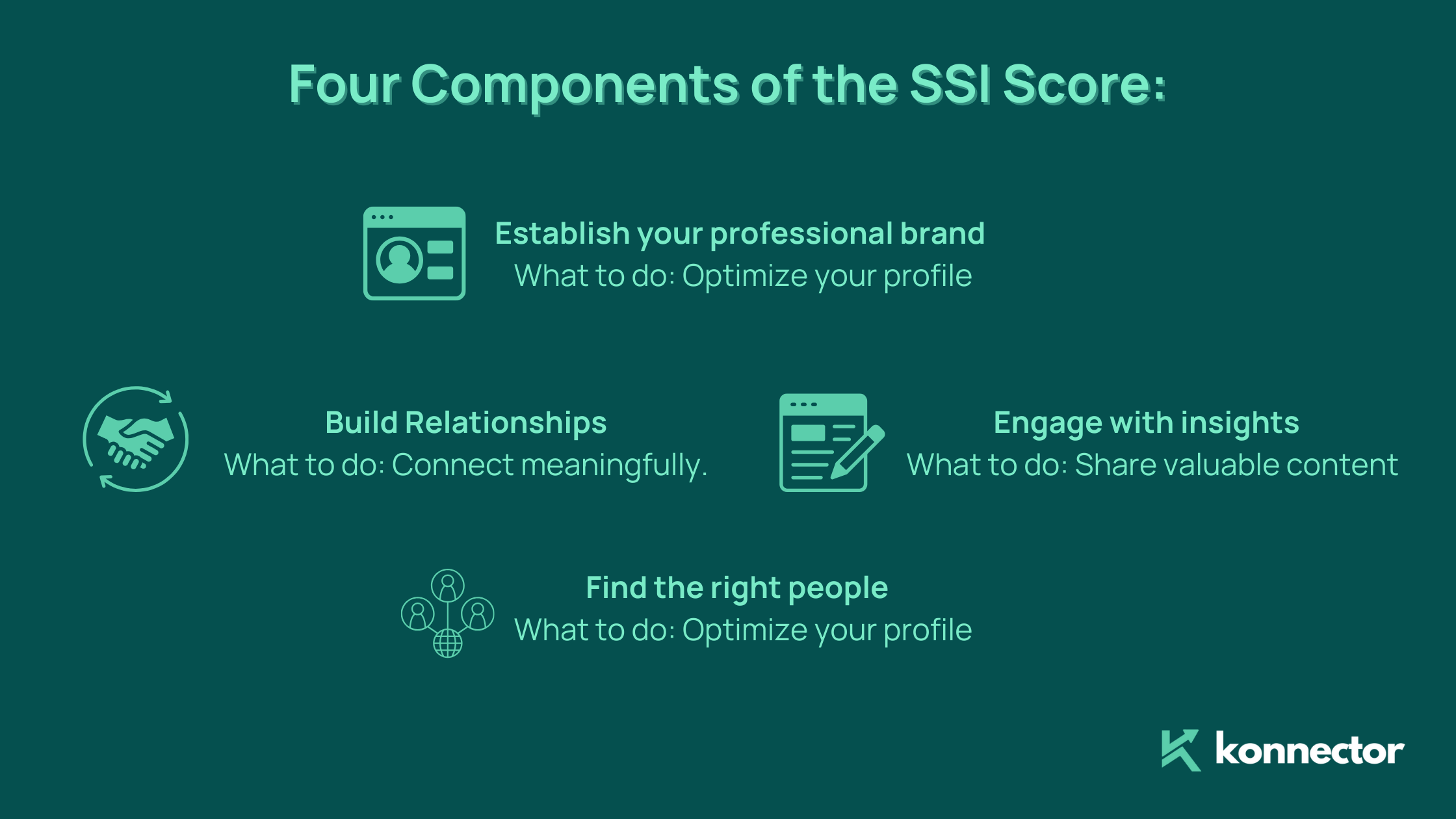
Your Social Selling Index (SSI) is more than a vanity score — it’s a trust proxy. Accounts that consistently build brand signals, engage with insights, and create real relationships tend to be treated as more credible.
- Higher SSI usually correlates with stronger acceptance history.
- Stronger acceptance history typically allows for safer scaling over time.
Read more—> How to Boost Your Social Selling Index (SSI) on LinkedIn
The “Impossible Travel” Trap
LinkedIn flags suspicious login and activity patterns, especially when your account appears to “jump” between locations or IP environments.
- Browser extensions can create unstable signals due to local automation footprints, proxy behavior, or inconsistent sessions.
- Konnector.ai avoids this by using dedicated cloud sessions designed to keep activity consistent and predictable.
Want to know the best solution to ace your LinkedIn outreach? Book a demo today!
The 4-Week Warm-Up Schedule (The Baseline Guide)
Use this simple four-week schedule to warm up your account before you scale. The goal is to build a stable pattern: profile credibility + consistent activity + improving acceptance rates.
| Phase | Activity Level | Primary Goal |
|---|---|---|
| Week 1: Foundations | 5 Invites / 10 Profile Views | Optimize Profile & Bio |
| Week 2: Visibility | 10 Invites / 20 Views / 5 Likes | Build “Acceptance History” |
| Week 3: Automation Start | 15 Invites / 40 Views / 10 Likes | Connect Konnector.ai |
| Week 4: Scaling | 20–30 Invites / 60+ Views | Active Drip Campaigns |
Week 1: Foundations
In Week 1, your job is to look like a real person on LinkedIn (because you are). Tighten your profile and start small.
- Send 5 invites per day to highly relevant people.
- Do 10 profile views per day (people in your niche, not random browsing).
- Keep engagement light and natural.
Goal: establish clean baseline behavior.
Week 2: Visibility
In Week 2, you build a visible interaction trail. This improves acceptance, which improves trust.
- Send 10 invites per day.
- Increase to 20 profile views per day.
- Add 5 likes (or a couple of genuine comments) daily.
Goal: build acceptance history while staying consistent.
Read more—-> The Definitive Guide to Safest LinkedIn Automation in 2026: Avoiding Bans and Building Trust
Week 3: Automation Start
By Week 3, you can introduce automation — but only if it’s the right kind of automation.
- Send 15 invites per day.
- Increase to 40 profile views and 10 likes per day.
- Connect Konnector.ai and start with safe, signal-led sequences.
Goal: begin scaling while maintaining natural behavior.
Week 4: Scaling
Week 4 is where you scale intelligently.
- Increase to 20–30 invites per day depending on acceptance performance.
- Maintain 60+ profile views with regular engagement activity.
- Launch structured outreach campaigns with Konnector.ai.
Goal: run consistent campaigns without triggering trust drops.
Let Konnector.ai do all the heavy lifting. Book a demo today!
Strategic Integration: How Konnector.ai “Stealth-Warms” Your Account
Most automation tools try to stay “safe” by adding random delays between actions. In 2026, that’s not enough. LinkedIn evaluates deeper behavioral signals.
Beyond Random Delays: Behavioral Realism
Konnector.ai focuses on Behavioral Realism — actions that resemble how professionals actually network.
- Viewing a prospect’s profile before sending an invite
- Engaging with relevant posts naturally
- Spacing actions based on normal research behavior
Nurturing & Engagement Before the Invite
Konnector.ai can “warm” both the lead and your account by layering engagement before outreach.

This mirrors human research patterns, and it often increases acceptance rates because your name becomes familiar.
Cloud-Native Dedicated Sessions
Because Konnector.ai operates in a dedicated cloud session, your account activity stays consistent.
- No unstable local browser fingerprints
- No “IP jumps” that trigger security verification
- Cleaner behavioral patterns for long-term outreach
The Human-in-the-Loop Approval (Draft Mode)
For newer accounts, Konnector.ai can run in Draft Mode:
- AI generates the comment/message
- You review and click Send
You get the speed of AI with the safety of manual control — ideal for warm-up periods.
Read more—-> Harnessing AI Comments to Boost LinkedIn Engagement
Red Flags to Watch For
If you want automation to last, watch these account health indicators closely.

The “I Don’t Know This Person” Button
When recipients don’t recognize your invite, they can report it. Too many of these signals can restrict your account.
- Use >= 20% acceptance rate as your minimum benchmark.
- If acceptance drops, reduce volume and improve targeting immediately.
Pending Request Cleanup (The “500 Rule”)
Do not let too many invites sit unaccepted.
- As a baseline guideline: avoid having 500+ pending requests.
- Konnector.ai can automate cleanup by withdrawing older pending invites to keep your account within safer thresholds.
Browser Fingerprinting
LinkedIn can detect automation extensions through browser fingerprinting — sometimes even when an extension is “turned off.”
- This is why cloud-based automation is generally safer than local extensions.
- Konnector.ai avoids local extension fingerprints by operating in a cloud environment.
Conclusion: Play the Long Game
LinkedIn automation is a marathon, not a sprint. The safest way to scale is to build trust deliberately: start small, improve acceptance history, and use tools that follow signal-based outreach instead of mass sending.
If you want your account to last for years (not weeks), follow a warm-up protocol and automate with platforms like Konnector.ai that prioritize behavioral realism, engagement signals, and long-term account health.

11x Your LinkedIn Outreach With
Automation and Gen AI
Harness the power of LinkedIn Automation and Gen AI to amplify your reach like never before. Engage thousands of leads weekly with AI-driven comments and targeted campaigns—all from one lead-gen powerhouse platform.
Frequently Asked Questions
A safe LinkedIn warm-up usually takes around 2 to 4 weeks. During this period, you gradually increase your activity starting with about 5 connection requests per day, along with profile views and light engagement. By Week 3, many professionals introduce a cloud-based outreach platform like Konnector.ai to automate engagement safely while maintaining account trust.
You should avoid automation during the first 7 days of a brand new LinkedIn account. Instead, focus on manual activity such as optimizing your profile, viewing profiles, engaging with posts, and sending a few connection requests. Once your account has basic activity history, automation tools like Konnector.ai can help scale outreach safely.
Yes. For brand new accounts, manual activity for the first 7 days is mandatory. Focus on profile completion, profile views, light engagement, and sending a small number of connection requests before introducing any automation.
For most accounts, a safe range is between 20 and 30 connection requests per day after the account is fully warmed up. Newer accounts should start with about 5 requests per day and gradually increase volume over a few weeks to maintain a healthy acceptance rate.
LinkedIn Sales Navigator primarily increases search capabilities and profile viewing limits. However, many users experience higher weekly connection allowances, sometimes up to 200 invites per week, compared to roughly 100–150 on standard accounts. Even with Sales Navigator, account reputation and acceptance rates still determine safe automation limits.
Sales Navigator typically increases search and profile view capacity, but your connection activity is still tied to account reputation. Many users see a weekly invite guideline of around 100–150 per week on standard LinkedIn and up to 200 per week with Sales Navigator. However, reputation and acceptance history still matter most, so scaling should always be gradual.
If LinkedIn detects suspicious activity, it may temporarily restrict your ability to send connection requests, require identity verification, or limit certain account features. Using cloud-based platforms like Konnector.ai helps reduce this risk because they prioritize behavioral realism, engagement signals, and stable cloud sessions instead of browser-based automation.
The safest strategy combines gradual account warm-up, strong targeting, and engagement-based outreach. Instead of sending large volumes of messages immediately, platforms like Konnector.ai first warm prospects through profile views and post engagement before sending connection requests, which mirrors natural LinkedIn networking behavior.
The safest LinkedIn automation tools in 2026 are cloud-based platforms that prioritize social signals and behavioral realism over mass sending. Tools like Konnector.ai are designed to warm accounts through engagement actions and stable cloud sessions, helping you scale outreach while protecting long-term account health.