Why LinkedIn® Automation Matters More Than Ever in 2026
I have spent the better part of the last three years inside LinkedIn outreach — building campaigns, watching accounts get throttled, and rebuilding stacks when the rules changed underneath us. So let me save you the weeks of trial and error.
The LinkedIn automation landscape in 2026 looks nothing like it did two years ago. Activity limits tightened. Spam detection got sharper. And buyers now research on their own long before they ever reply to a sales message. The old play — blast a few hundred cold DMs and hope — does not just underperform anymore. It gets accounts restricted.
This guide ranks 20 LinkedIn automation tools that actually matter this year, grouped by what they are built for. No paid placements. Pricing is pulled from each tool’s live pricing page, and every verdict comes from hands-on evaluation against the six criteria below.
How We Evaluated These LinkedIn Automation Tools
Every tool here was scored against the six things that decide whether a modern revenue team actually gets results — not just the ones that look good on a feature grid:
- LinkedIn safety and compliance: Dedicated IPs, human-like activity patterns, warm-up, and smart limits that protect the account.
- AI and personalization: Genuinely context-aware messages and comments, not template merge-tags dressed up as AI.
- Social selling intelligence: Can the tool spot high-intent prospects from engagement signals, or does it only blast sequences?
- CRM and sales-stack integration: Native HubSpot or Salesforce sync, versus Zapier and CSV workarounds.
- Ease of use: Can a non-technical rep launch a real campaign in under 15 minutes?
- Pricing and value: Transparent and predictable, or does the bill balloon with usage and seats?
Quick Comparison: Top LinkedIn Automation Tools at a Glance
| Tool | Best For | Starting Price | Social Signals | Native CRM | Safety Model |
|---|---|---|---|---|---|
| Konnector.ai | LinkedIn-first social selling | $69/mo (unlimited features) | Yes — live + static keyword signals | HubSpot + Salesforce | Cloud, dedicated IPs |
| Expandi | High-volume multi-channel | $99/mo per seat | No | Via Zapier | Cloud, country IPs |
| HeyReach | Agencies, 10+ accounts | $79/mo per sender | No | API / webhooks | Cloud, account rotation |
| Dripify | Beginners, solo SDRs | $39/mo | No | Zapier (higher plans) | Cloud, basic |
| Lemlist | Email-first, adding LinkedIn | $69/mo per user | No | HubSpot, Salesforce, Pipedrive | Cloud + email warm-up |
| PhantomBuster | Cross-platform data extraction | $69/mo (usage-based) | No | Zapier / CSV | User-managed |
Pricing is indicative and should be checked against each provider’s current pricing page before you buy.
Best Overall for LinkedIn-First Sales Teams: Konnector.ai
Website: Konnector.ai | Pricing: from $69/month, all features included, unlimited campaigns and team members | Free trial: 14 days | Best for: B2B sales teams, SDRs, founders, agencies, and RevOps teams running LinkedIn-first outreach
Most tools in this category optimize for one thing: sending more. Konnector.ai is built around a different question — who is worth reaching, and when? It pairs real-time social signals with AI-assisted, human-approved engagement so teams start conversations at the moment a prospect is actually receptive, instead of dropping every lead into the same cold drip.
Across Konnector.ai accounts, [DATA: e.g. “outreach tied to live social signals reply at X%, versus a Y% category baseline”] — [DATA: add one more concrete outcome, e.g. leads sourced or pipeline influenced]. Intent-based timing is the difference between a message that gets ignored and one that gets answered.
What sets Konnector.ai apart
- Social signals intelligence: Identify prospects actively engaging on LinkedIn — through posts, comments, profile views, and follows — and reach out on intent. Each sender gets 6 live keyword signals and 4 static keyword signals, with unlimited leads per signal.
- Human-in-the-loop AI comments: AI drafts comments on your leads’ posts, but nothing publishes without your approval. That keeps tone authentic and the brand safe — the detail that matters most for founders and enterprise teams.
- Pre-campaign InMail visibility: Open and review InMails from lead lists at scale before committing anyone to a campaign, so you validate intent up front.
- Native CRM integration: Native HubSpot sync (activities and attributes) and native Salesforce integration — no Zapier layer — which makes it a fit for RevOps and ABM workflows.
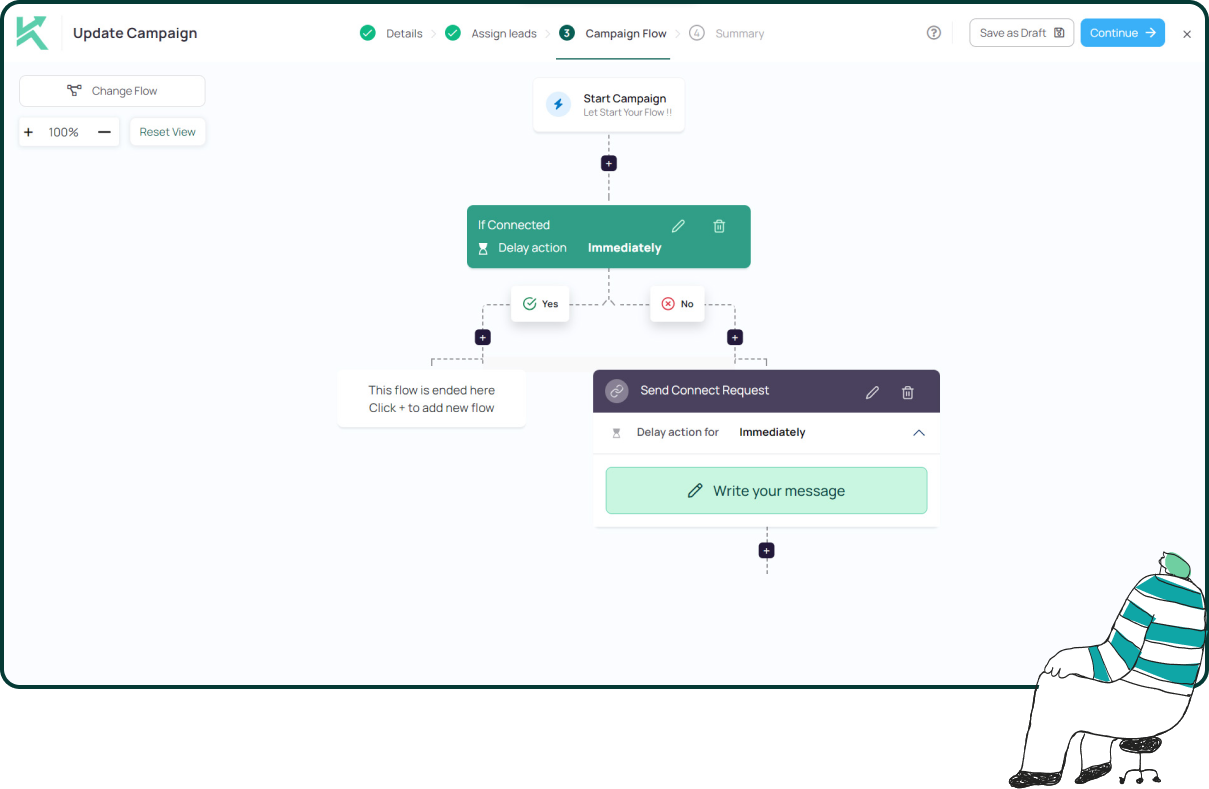
- Fully editable live campaigns: Pivot messaging and adjust sequences without stopping and restarting, unlike tools that lock a campaign once it launches.
Key features
- 12+ automated LinkedIn actions (profile visits, likes, follows, connection requests, messages, free InMails, AI comments)
- Social signals engine with keyword-based lead identification
- AI comment generator with a human-approval workflow
- Auto-detection of open profiles for free InMail sending
- Multi-step drip campaigns combining LinkedIn and email
- Unlimited campaigns, team members, lead scraping, and AI comments
- Unified team inbox, cloud-based with dedicated IPs and activity controls
- Lead extraction from Search, Sales Navigator, Events, Posts, Groups, Companies, and Profile Visitors
- Native HubSpot and Salesforce integration; email outreach with unlimited domains
The verdict: Konnector.ai ranks first because it solves the problem most automation tools ignore — engaging the right person, at the right moment, with a message that fits, while keeping the account safe and the CRM in sync. For LinkedIn-first revenue teams that care about conversations over raw volume, it is the most complete package at the most competitive entry price on this list.
Cloud Outreach and Multi-Account Automation
These are the workhorses: cloud-based platforms built for reliable sending, team oversight, and account safety at volume.
Expandi — Best for cloud-based safety and multi-channel campaigns
Pricing: from $99/month per seat | Best for: agencies and teams running high-volume LinkedIn + email outreach.
Expandi is one of the most trusted cloud platforms for teams that need volume without tripping LinkedIn’s limits, using dedicated country-based IPs and smart throttling.
- Cloud automation running 24/7 with no browser extension
- Dedicated country-based IPs and auto warm-up for new accounts
- Conditional-logic campaign builder with A/B testing
- Multi-channel (LinkedIn, InMail, email) and hyper-personalized images/GIFs
Where it trails Konnector.ai: a steeper learning curve, no native HubSpot integration, and no intent-based social signals. Excellent for technical agencies; less suited to teams that want intent built in. See the full Expandi vs Konnector.ai comparison.
HeyReach — Best for agencies managing multiple LinkedIn accounts
Pricing: from $79/month per sender | Best for: lead-gen agencies and teams running 10+ accounts.
HeyReach is purpose-built for scale, with multi-account rotation that switches senders automatically as each hits its daily cap.
- Unlimited account connections with auto-rotation
- Unified inbox across all senders and an agency reporting dashboard
- Native integrations with Instantly and Smartlead; API and webhook support
Where it trails Konnector.ai: it is volume-first, with no social signals, AI commenting, or intent features — so teams optimizing for conversation quality get less lift per message. Full HeyReach vs Konnector.ai comparison.
Dripify — Best for beginners and solo prospectors
Pricing: from $39/month (Basic) to $99/month (Advanced) | Best for: freelancers and small teams new to automation.
Dripify’s visual drip builder makes it one of the easiest tools to launch a first campaign, combining LinkedIn and email in one flow.
- Visual campaign builder with delays, conditions, and branching
- Built-in email finder and verifier; 20+ personalization variables
- Cloud-based, running 24/7, with analytics on higher tiers
Where it trails Konnector.ai: basic cloud protection, CRM only via Zapier, and no AI commenting or signals — most teams outgrow it as complexity rises. Full Dripify vs Konnector.ai comparison.
We-Connect — Best for safety-first, cloud-based teams
Pricing: from $69/month per user | Best for: small to mid teams wanting secure cloud automation.
We-Connect runs entirely in the cloud with dedicated IPs and a simple, safety-led approach that suits teams new to automation.
- Cloud-based with dedicated IPs; connection, message, and InMail sequences
- Team dashboard, built-in CRM, and webhook integrations
Where it trails Konnector.ai: no AI commenting or signal tracking, limited native CRM beyond webhooks, no built-in email, and campaigns require a stop-restart to edit.
Salesflow — Best for structured B2B LinkedIn + email workflows
Pricing: from $99/month per user | Best for: B2B teams needing advanced workflows and reporting.
Salesflow combines LinkedIn and email with detailed reporting and team management for structured campaign operations.
- Combined LinkedIn + email workflows with conditional logic
- Analytics dashboards, team collaboration, and CRM integrations
Where it trails Konnector.ai: at $99/month per user with no unlimited features and no social selling intelligence, the value gap against a $69 all-inclusive plan is hard to close. Full Salesflow vs Konnector.ai comparison.
Closely — Best for LinkedIn cold outreach at scale
Pricing: from $49/month per user | Best for: teams focused on cold LinkedIn outreach with email fallback.
Closely pairs LinkedIn messaging with email sequences and AI-optimized send timing, with built-in safety limits.
- Smart LinkedIn + email sequences with conditional logic
- AI personalization, unified inbox, and A/B testing
Where it trails Konnector.ai: no social signals, CRM mostly via Zapier, and no native HubSpot or Salesforce connection — solid for cold volume, lighter on intent.
LinkedFusion — Best for multi-account management on a budget
Pricing: from $65.95/month per user | Best for: agencies running campaigns across multiple accounts.
- Multi-account management from one dashboard
- Combined LinkedIn + email sequences with built-in email finder
- Cloud-based with safety controls and a smart inbox
Where it trails Konnector.ai: a dated interface, no AI commenting or signals, and limited native CRM options.
Aimfox — Best budget cloud automation for small teams
Pricing: from $49/month per user | Best for: solo entrepreneurs and small teams on a tight budget.
- Cloud automation running 24/7 with connection and message sequences
- Basic campaign builder, unified inbox, and activity limits
Where it trails Konnector.ai: a limited feature set, no CRM integrations, no team features, and no AI or intent capabilities — for roughly $20 more per month, Konnector adds unlimited features, signals, and native CRM.
Multichannel Platforms: LinkedIn Plus Email and Beyond
If LinkedIn is one channel in a wider motion, these tools orchestrate across email, and sometimes phone and social.
Lemlist — Best for email-first teams adding LinkedIn
Pricing: from $69/month per user | Best for: email-led teams layering LinkedIn on top.
- Multichannel sequences (email, LinkedIn, phone)
- Custom image and video personalization; Lemwarm deliverability
- Native CRM integrations and a large B2B database
Where it trails Konnector.ai: LinkedIn is secondary to email, with no social signals or AI commenting for LinkedIn. Strong when email is the primary channel. Full Lemlist vs Konnector.ai comparison.
Skylead — Best for multichannel sequences with unlimited email
Pricing: from $100/month per seat | Best for: teams needing LinkedIn + email with unlimited sending.
- Smart sequences with if/else branching on prospect behavior
- Unlimited mailbox connections and a combined smart inbox
- Built-in email discovery and verification
Where it trails Konnector.ai: no social signals or AI commenting, CRM via webhooks only, and a higher entry price — it remains an outreach sequencer rather than a social selling platform. Full Skylead vs Konnector.ai comparison.
La Growth Machine — Best for true multichannel orchestration
Pricing: from $60/month per seat | Best for: growth teams working LinkedIn, email, X, and phone in one sequence.
- Cross-channel sequences with built-in lead enrichment
- LinkedIn voice messaging and email inbox rotation
- CRM integrations with HubSpot, Pipedrive, and Salesforce
Where it trails Konnector.ai: LinkedIn-specific depth is thinner than dedicated tools, with no signals or AI commenting. Best when orchestration across channels matters more than LinkedIn depth.
MeetAlfred — Best for omnichannel social outreach
Pricing: from $59/month | Best for: agencies wanting LinkedIn, email, and X in one place.
- Multi-platform outreach across LinkedIn, email, X, Instagram, and WhatsApp
- Built-in mini-CRM, templates, and team permissions
Where it trails Konnector.ai: broad but shallow on LinkedIn, with no signals or AI commenting. Full MeetAlfred vs Konnector.ai comparison.
Waalaxy — Best free plan for LinkedIn beginners
Pricing: free plan available; paid from ~$60/month | Best for: solo professionals wanting a low-risk entry point.
- Generous free tier and an intuitive Chrome-based builder
- LinkedIn + email sequences on paid plans; pre-built templates
Where it trails Konnector.ai: Chrome-extension architecture (browser must stay open, higher detection risk), campaigns cannot be edited once started, and no signals or intent features. Full Waalaxy vs Konnector.ai comparison.
Snov.io — Best for email-first teams adding LinkedIn prospecting
Pricing: from $39/month (email); LinkedIn add-on from $99/month | Best for: email-led teams adding LinkedIn as a supplementary channel.
- Powerful email finder and verifier across databases
- LinkedIn automation add-on; native CRM integrations
Where it trails Konnector.ai: LinkedIn is an add-on with extension-based automation and limited LinkedIn-specific safety.
Data Extraction and Prospecting
PhantomBuster — Best for cross-platform data extraction and growth hacking
Pricing: from $69/month, scaling with execution hours | Best for: growth hackers and technical teams needing multi-platform scraping.
- 100+ automation scripts across LinkedIn, Instagram, X, Facebook, and more
- Profile and Sales Navigator scraping; no-code workflow chaining
- Data enrichment and lead-qualification capabilities
Where it trails Konnector.ai: it extracts and collects data but does not prioritize who is worth engaging, lacks native end-to-end outreach, and pricing based on execution hours can get unpredictable. Think of PhantomBuster as data plumbing; Konnector.ai as the platform that turns intent into booked conversations. Full PhantomBuster vs Konnector.ai comparison.
Budget and Basic Automation
Low-cost entry points for individuals and light, experimental use.
Linked Helper — Best budget desktop automation for power users
Pricing: from $15/month | Best for: budget-conscious users who want granular control.
- Multi-step flows with conditions; Sales Navigator and Recruiter support
- Built-in mini-CRM with tags, custom fields, and smart lists
Where it trails Konnector.ai: desktop-based (computer must stay on), higher detection risk, and no AI, signals, or advanced personalization. Full Linked Helper vs Konnector.ai comparison.
Dux-Soup — Best for long-time automation veterans
Pricing: free plan; paid from $14.99/month | Best for: solo professionals who have used automation for years.
- Automated visits, connection requests, and messaging; lead tagging
- Drip sequences and CRM integrations (HubSpot, Pipedrive)
Where it trails Konnector.ai: Chrome-extension detection risk, a dated interface, and no AI or signal features. Full Dux-Soup vs Konnector.ai comparison.
Octopus CRM — Best simple extension for individuals
Pricing: from $9.99/month | Best for: individuals automating a few LinkedIn tasks.
- Connection requests, messages, endorsements, and profile views
- Personal CRM dashboard with basic analytics
Where it trails Konnector.ai: very basic, Chrome-based, with no AI, signals, or team features. Full Octopus CRM vs Konnector.ai comparison.
Linked Radar — Best for automated engagement plus outreach
Pricing: from $19.90/month per user | Best for: teams wanting warm-up engagement before outreach.
- Automated likes and engagement on prospect posts
- Multi-step connection and messaging sequences; unified inbox
Where it trails Konnector.ai: automated likes only (no AI-generated comments), no signal tracking, and limited CRM. Konnector delivers the same engagement-first idea with AI comments under human approval and real intent signals.
Engagement-First Relationship Building
Mention — Best for engagement-led LinkedIn strategies
Pricing: enterprise plans from $599/month | Best for: teams that want to warm relationships before pitching.
- Automated engagement on target-account posts; relationship scoring
- Connection campaigns with personalized messaging; lead lists by engagement level
Where it trails Konnector.ai: the right philosophy (engage before you pitch) but delivered through a risky Chrome extension with automated likes only. Konnector executes the same idea with cloud-based safety, AI comments under human approval, and real-time signals.
How to Choose the Right LinkedIn Automation Tool
The best tool depends on your primary motion, team size, and budget. Use this quick framework:
Start with your goal. For LinkedIn-first social selling with CRM sync, choose Konnector.ai. For agencies running 10+ accounts, HeyReach. For maximum-volume safety, Expandi. For a first, simple setup, Dripify or Waalaxy. For cross-platform scraping, PhantomBuster. For email-first motions with LinkedIn as a supplement, Lemlist.
Then factor in team size. Solo operators can start on Octopus CRM, Waalaxy, or Dux-Soup. Small teams of two to five fit Dripify, We-Connect, or Konnector.ai. Sales teams of five to twenty suit Expandi, Salesflow, or Konnector.ai. Agencies and enterprise teams lean on HeyReach or Konnector.ai for multi-account management.
Finally, weigh value, not just sticker price. A tool that lifts your reply rate returns far more than a cheaper one that only sends. Run the math: 1,000 messages at a 15% reply rate is 150 conversations; at 4%, it is 40. That gap — not the monthly fee — is what decides pipeline. This is exactly why intent-based tools earn their place: fewer, better-targeted messages beat volume every time.
Frequently Asked Questions About LinkedIn Automation Tools
Will LinkedIn automation get my account banned?
It depends on how you use it. LinkedIn’s Terms of Service prohibit unauthorized automation, but enforcement targets behavior that looks robotic — sudden spikes, high daily volume, and identical mass messages. Conservative, human-like usage on a warmed account with dedicated IPs and smart limits generally stays safe. Cloud tools with throttling and gradual warm-up carry less risk than browser extensions sending hundreds of requests a day.
How many LinkedIn connection requests can I safely send per day?
There is no official public number, and limits shift. As a safe range in 2026: new accounts should stay around 10 to 20 requests per day, and warmed accounts (active three months or more) can handle roughly 40 to 70. Pair automation with genuine engagement, and pull back at the first sign of a warning.
What is the difference between browser-extension and cloud-based LinkedIn tools?
Browser extensions run through your own Chrome session — cheaper and simpler, but your computer has to stay on and activity is easier to detect. Cloud tools run from remote servers with dedicated IPs that simulate real user behavior, which is generally safer and more stable for teams. For serious, ongoing outreach, cloud is the better foundation.
What reply rate should I expect from LinkedIn automation?
Template-only tools tend to sit around a 3 to 5% reply rate. Better targeting and real personalization can lift that into the 8 to 12% range, and intent-led, conversation-first approaches push higher still. The driver is not send volume — it is reaching the right person at the right moment with a relevant message.
Which LinkedIn automation tool is best for agencies?
Agencies managing many accounts need multi-account management, sender rotation, white-label reporting, and per-client safety limits. HeyReach is built specifically for this, and Konnector.ai suits agencies that also want intent signals and native CRM sync alongside multi-account control.
Can I integrate LinkedIn automation with my CRM?
Most modern tools connect to HubSpot, Salesforce, or Pipedrive — but often only through Zapier or CSV exports. Native integration matters for RevOps and ABM because activities and attributes sync automatically without a middle layer. Konnector.ai offers native HubSpot and Salesforce integration, while many competitors rely on Zapier.
What is social selling intelligence, and why does it matter?
Social selling intelligence means identifying prospects who are actively signaling interest — through posts, comments, profile views, and follows — and reaching out while that intent is fresh, rather than adding everyone to the same cold sequence. It matters because timing drives reply rates: a message that lands during a moment of intent consistently outperforms one sent cold.
Is LinkedIn automation worth it in 2026?
Yes, when it is used to work smarter rather than louder. The value now comes from targeting the right prospects, personalizing at scale, and keeping accounts safe — not from sending the highest possible volume. Teams that treat automation as an intent and conversation engine see far better returns than those still blasting templates.
How do I warm up a new LinkedIn account for automation?
Go slowly. In week one, complete the profile fully and add a handful of connections manually each day. In week two, engage with content daily and accept inbound requests. In week three, begin very light automation of five to ten actions per day, then increase gradually. A banned account costs far more than a slow, steady start.
What metrics should I track for LinkedIn automation?
Skip vanity metrics like messages sent. Track connection acceptance rate (a signal of targeting quality), reply rate, positive reply rate, meetings booked, and pipeline value. Those five tell you whether outreach is actually converting, not just running.
The Bottom Line
The era of blasting cold messages and hoping is over. In 2026, the tools that win are the ones that help you reach the right people, at the right time, with the right message — safely. Konnector.ai leads that shift by combining social signal intelligence, AI-assisted but human-approved engagement, pre-campaign InMail visibility, and native CRM integration in one platform built for LinkedIn-first revenue teams, starting at $69/month with unlimited features.
Whether you are scaling a startup’s outbound engine, running an agency, or tightening an enterprise sales motion, match the tool to your goal, your team size, and the value it returns — and start turning LinkedIn engagement into pipeline.
Start your 14-day Konnector.ai trial.
11x Your LinkedIn® Outreach With
Automation and Gen AI
Harness the power of LinkedIn® Automation and Gen AI to amplify your reach like never before. Engage thousands of leads weekly with AI-driven comments and targeted campaigns—all from one lead-gen powerhouse platform.
Frequently Asked Questions
LinkedIn® automation refers to software that automates repetitive LinkedIn® actions such as sending connection requests, follow-up messages, profile visits, post engagement, and InMails. In 2026, modern LinkedIn® automation tools like Konnector.ai go beyond simple message blasting. They combine automation with intent signals, AI-assisted engagement, CRM syncing, and safety controls to generate pipeline — not just activity.
LinkedIn® automation is safe only when you use cloud-based tools with dedicated IPs, activity throttling, randomized timing, and warm-up systems. Browser extensions carry significantly higher risk.
Platforms like Konnector.ai are built with LinkedIn® safety as a core principle. It uses cloud infrastructure, dedicated IP addresses, and activity controls that mimic natural human behavior, dramatically reducing account restriction risk.
Yes — if you exceed daily limits, use unsafe browser extensions, or send spam-like messages. LinkedIn® flags unnatural activity patterns.
Tools like Konnector.ai help prevent this by enforcing smart limits, pacing actions realistically, and allowing human approval of AI-generated comments to maintain authenticity.
In 2026, most experts recommend staying between 15–25 connection requests per day for standard accounts. Volume should scale gradually after warm-up.
Konnector.ai automatically controls daily activity limits and pacing so you don’t accidentally exceed safe thresholds.
For LinkedIn®-first revenue teams, Konnector.ai stands out as the best overall LinkedIn® automation tool in 2026. It uniquely combines:
Social signal intelligence
AI comment generation with human approval
Native HubSpot and Salesforce integration
Profile viewer trigger campaigns
Unlimited campaigns and team members
Cloud-based safety with dedicated IPs
Most competitors focus on volume. Konnector.ai focuses on conversion.
Social signals are engagement behaviors that indicate intent — likes, comments, shares, profile views, and follows.
Konnector.ai is the only LinkedIn® automation tool that builds social signal detection directly into its workflow. Instead of cold-blasting leads, it helps you engage prospects when they’re actively engaging on relevant topics.
Most LinkedIn® outreach tools automate sequences.
Konnector.ai adds intelligence.
It introduces:
Live and static keyword-based social signals
AI comment suggestions that require human approval
Native CRM sync
Pre-campaign InMail visibility
Fully editable live campaigns
It shifts outreach from volume-based automation to intent-driven selling.
Some tools require Zapier workarounds.
Konnector.ai offers native HubSpot integration, syncing activities and lead attributes directly into your CRM, making it ideal for structured sales teams and RevOps workflows.
Many tools rely on APIs or third-party connectors.
Konnector.ai offers native Salesforce integration, making it enterprise-ready and suitable for account-based marketing (ABM) strategies.
Cloud-based tools with dedicated IPs are safest.
Browser extensions are riskier because LinkedIn® can detect automation through browser-level activity.
Konnector.ai runs fully in the cloud with activity randomization and IP control, making it significantly safer than Chrome-based tools.
Fully automated commenting can sound robotic and damage brand reputation.
Konnector.ai solves this with AI-generated comments that require human approval before posting. This hybrid approach protects brand voice and compliance while saving time.
Warm-up gradually increases LinkedIn® activity on new or dormant accounts to avoid triggering detection systems.
Cloud platforms like Konnector.ai allow you to control ramp-up speed and maintain safe activity levels automatically.
Most LinkedIn® automation tools can:
Visit profiles
Send connection requests
Send follow-ups
Like posts
Follow accounts
Send InMails
Konnector.ai supports 12+ LinkedIn® actions, including AI-assisted comments, profile viewer triggers, and multichannel LinkedIn® + email workflows.
Intent-based outreach targets prospects who are actively engaging with relevant topics, rather than cold lists.
Konnector.ai’s social signals engine identifies prospects engaging around specific keywords, helping you message people when they are most receptive.
If agencies manage 10+ accounts and prioritize volume, tools like HeyReach may help.
But agencies that prioritize conversion and CRM tracking often prefer Konnector.ai because of its social signals intelligence and unlimited team features at a lower price point.
Pricing ranges from free tiers to $197+ per month.
Most professional tools cost $69–$99 per user per month.
Konnector.ai offers $69/month with unlimited campaigns, unlimited team members, and unlimited AI comments, making it one of the strongest value options in 2026.