Every LinkedIn automation vendor will show you a feature grid. Sequences, templates, integrations, daily send limits, all ticked in green.
None of that tells you the thing you actually need to know.
Because when a tool fails, it rarely fails on features. It fails when an account gets restricted, when a prospect screenshots a robotic message, or when a motion your team spent six months building stops working overnight. The features determine what a tool can do. The architecture and the behaviour model determine what it costs you.
This is the evaluation framework, written for people who have to defend the decision internally.

What Actually Gets a LinkedIn Account Restricted?
LinkedIn restricts accounts for automated inauthentic activity, not for using software. Its official account restrictions page states plainly that automated inauthentic activity violates the LinkedIn User Agreement, and the Professional Community Policies repeat the point.
Read the word that matters: inauthentic. The platform is not scanning for tools. It is scanning for behaviour that no human would produce.
In practice, the reported signals cluster into four groups:
- Velocity — too many actions, too fast, beyond what a person could do
- Regularity — perfectly spaced activity, or activity at 3am from a nine-to-five account
- Location and device anomalies — logins from an IP or fingerprint that doesn’t match your usual pattern
- Negative member signals — low acceptance rates, spam reports, ignored invites piling up
That last one is the underrated one. Your connection acceptance rate is a trust score. Let it fall and your weekly invite capacity shrinks, whether or not you ever touched a tool.
LinkedIn has never published its detection rules, and no vendor can promise you’re undetectable. Any vendor who promises it has just told you exactly how they think about risk.
Why Feature Comparisons Miss the Real Risk?

Because most buyers only price one of the four risks they’re actually taking on. Account risk is the one everyone asks about. It’s also the most recoverable.
| Risk | What It Costs You | How Recoverable |
|---|---|---|
| Account risk | A restricted or banned profile | Often recoverable through appeal |
| Reputation risk | Buyers who noticed the robotic outreach | Not recoverable — no appeal form for a bad impression |
| Data risk | Credentials and prospect data sitting somewhere you can’t see | Depends entirely on the vendor’s design |
| Continuity risk | A motion that collapses when the tool breaks or the rules change | Costly — you rebuild from scratch |
Notice the asymmetry. The risk buyers evaluate hardest is the one they can undo. The three they skip are the ones that stick.
How Does the a LinkedIn Automation Tool Connect to LinkedIn?

This is the single most important technical question in the evaluation, and it’s the one least likely to appear on a pricing page. How a tool reaches LinkedIn determines what your activity looks like from the platform’s side.
| Connection Type | How It Works | The Trade-off |
|---|---|---|
| Browser extension | Runs inside your own browser, using your real session and IP | Your fingerprint stays consistent, but actions only run while you’re logged in and the page-level activity is visible to LinkedIn |
| Cloud, shared IP | Vendor servers act for you from an IP pool used by other customers | Highest exposure. Location mismatches, plus you inherit the behaviour of whoever shares your IP |
| Cloud, dedicated IP | Vendor servers, one IP reserved for your account | Far safer than shared, and safest when the IP is stable and matched to your usual region |
| Local desktop app | Runs on your machine, your IP, without needing a browser tab open | Consistent fingerprint, but tied to one device staying awake |
If a vendor can’t answer this in one sentence, that’s your answer.
What Does the Tool Do Under Your Name?

Architecture decides whether LinkedIn notices you. Behaviour decides whether your buyers do. This is the axis almost nobody evaluates, and it’s where reputation risk lives.

| Behaviour Model | What Publishes Under Your Name | Reputation Risk |
|---|---|---|
| Fully autonomous | Messages and comments go out with no review | Highest — you find out what you said at the same time your prospect does |
| Templated with caps | Pre-written copy, volume-limited | Moderate — safe volume, but identical text is easy to spot |
| Human-in-the-loop | AI drafts, a person approves every item | Low — nothing goes out that you haven’t read |
| Signal-triggered | Actions fire only when a prospect does something real | Lowest — the timing looks human because it’s genuinely responsive |
You are not buying software that sends messages. You are buying a behaviour that runs under your name, at scale, while you’re asleep. Evaluate it like a hire, not like a feature.
What Should You Ask a Vendor Before You Buy?

Ten questions separate a serious platform from a tool with a nice dashboard. Send them before the demo, not during it.
- Is my IP dedicated to me, and is it matched to where I normally log in?
- Can I approve every message and comment before it sends?
- What are the daily and weekly action caps, and can I set them lower?
- Do you store my LinkedIn password or session cookie, and where does it live?
- Where is my prospect data stored, and can I export all of it?
- Do actions run only during my working hours, and is the timing randomised?
- Does the tool sync to my CRM, or is the data trapped in your platform?
- What happens to my sequences and data if my account gets restricted?
- How do you handle it when LinkedIn changes its rules?
- What does your product do to raise reply quality, not just send volume?
The password question is the sharpest one. A well-designed platform shouldn’t need to hold your credentials, and how a vendor answers tells you how they think about your data generally.
What Happens When the Rules Change?
Continuity risk is the quiet one, and it’s the one that hurts a revenue team most. LinkedIn adjusts its enforcement regularly. Tools built entirely around volume are the first to break when it does.
Ask yourself what survives that. If your outreach data lives only inside the vendor’s platform, a rule change or an outage takes your pipeline visibility with it. If it syncs to your CRM, you keep the asset regardless of the tool.
The same logic applies to the motion itself. A process built on qualifying prospects properly and engaging them genuinely doesn’t stop working when limits tighten. A process built on maximum sends does.
Where Does Konnector.ai Fit in This Framework?
Konnector.ai is built for the bottom two rows of the behaviour table, not the top. That’s a deliberate design choice, and it shapes everything else.
Rather than maximising send volume, it watches social signals across your target accounts and acts when a prospect actually does something — posts, comments, engages. AI-drafted comments and messages sit in a review queue, so a human approves every item before it publishes under your name. LinkedIn and email run as one sequence rather than two disconnected motions, replies land in a unified inbox, and everything syncs to HubSpot, which means your prospect data lives in your CRM rather than only in ours.
That last detail is the continuity answer. You keep the asset either way.
⚡ Try it free → See the signal-based, human-approved model running on your own pipeline

The Bottom Line
Feature grids compare what tools can do. They don’t compare what tools cost you when something goes wrong.
Ask how it connects. Ask what publishes under your name. Ask where your data lives and what survives a rule change. Those four answers will separate your shortlist faster than any comparison table.
And be honest about what you’re actually buying. Not sending capacity — a behaviour that represents your company to every prospect it touches.
📅 Book a Free Demo → Bring the ten questions. We’ll answer all of them on the call.
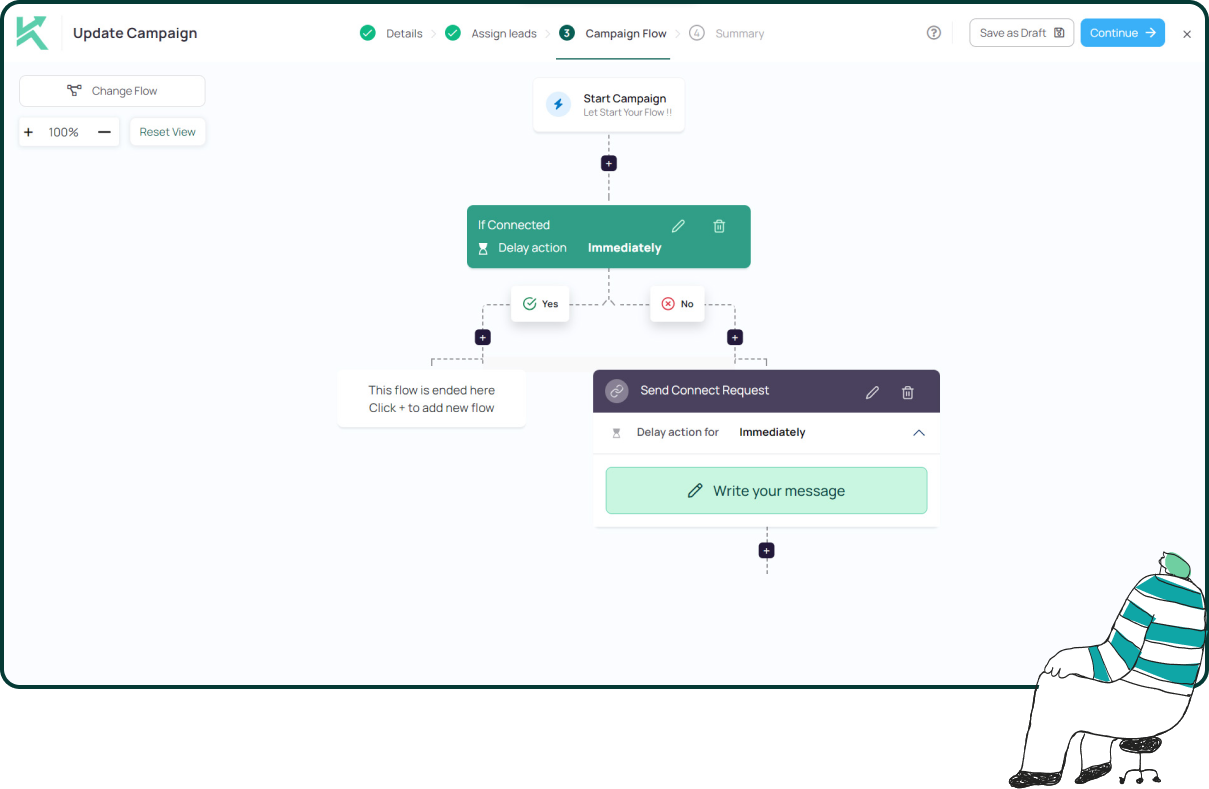
11x Your LinkedIn® Outreach With
Automation and Gen AI
Harness the power of LinkedIn® Automation and Gen AI to amplify your reach like never before. Engage thousands of leads weekly with AI-driven comments and targeted campaigns—all from one lead-gen powerhouse platform.
Frequently Asked Questions
LinkedIn prohibits automated inauthentic activity and third-party software that performs actions on your behalf. Tools that keep a human approving each action, at human volumes, sit in very different territory from unattended bulk sending.
LinkedIn doesn't publish its detection methods, but reported signals include action velocity, unnaturally regular timing, IP and device mismatches, and negative member responses such as low acceptance rates or spam reports.
LinkedIn typically starts with warnings, temporary restrictions, or verification requests rather than permanent bans. Repeated policy violations or aggressive automation practices increase the risk of more serious account action.
LinkedIn does not publish an official daily limit. Instead of focusing on a number, maintain human-like activity, prioritize quality over quantity, and ensure your connection requests are relevant and personalized.
Neither is automatically safer. A cloud tool with a dedicated, region-matched IP is generally lower risk than one using a shared IP pool, while an extension inherits your real browser fingerprint but only runs while you're logged in.
LinkedIn doesn't disclose how it identifies automation. Browser extensions, cloud platforms, and desktop applications can all carry risk depending on how they automate actions and whether they mimic natural user behavior.
Using AI to draft messages isn't inherently the issue. The greater risk comes from fully automated sending without human review. Reviewing and approving AI-generated messages before they're sent is generally a more responsible approach.
Automating comments without review can result in generic or irrelevant responses that damage your credibility. Using AI to generate comment drafts while requiring manual approval before posting is a safer alternative.
Follow-ups can be automated more responsibly when they're triggered by user behavior, spaced naturally, and reviewed before sending. Repeated, unsolicited follow-ups sent in bulk increase the likelihood of account restrictions.
Yes. Personalized outreach consistently produces higher acceptance and reply rates while reducing the likelihood of recipients marking messages as spam. Automation should enhance personalization, not replace it.